For game server owners and their admins
Run every server like one community.
Takaro brings your game servers and the players on them into one dashboard. Track players and their inventory, ban once and it applies across your servers, and add features with modules, without writing code.
Free for your first server. Log in with Discord, Steam or email.
- player-connected Alex joined Harbor Rust
- inventory pixelfox picked up 23 Diamond
- global ban Morgan banned on every server
- dailyRewards Alex claimed 100 coins
Try it here
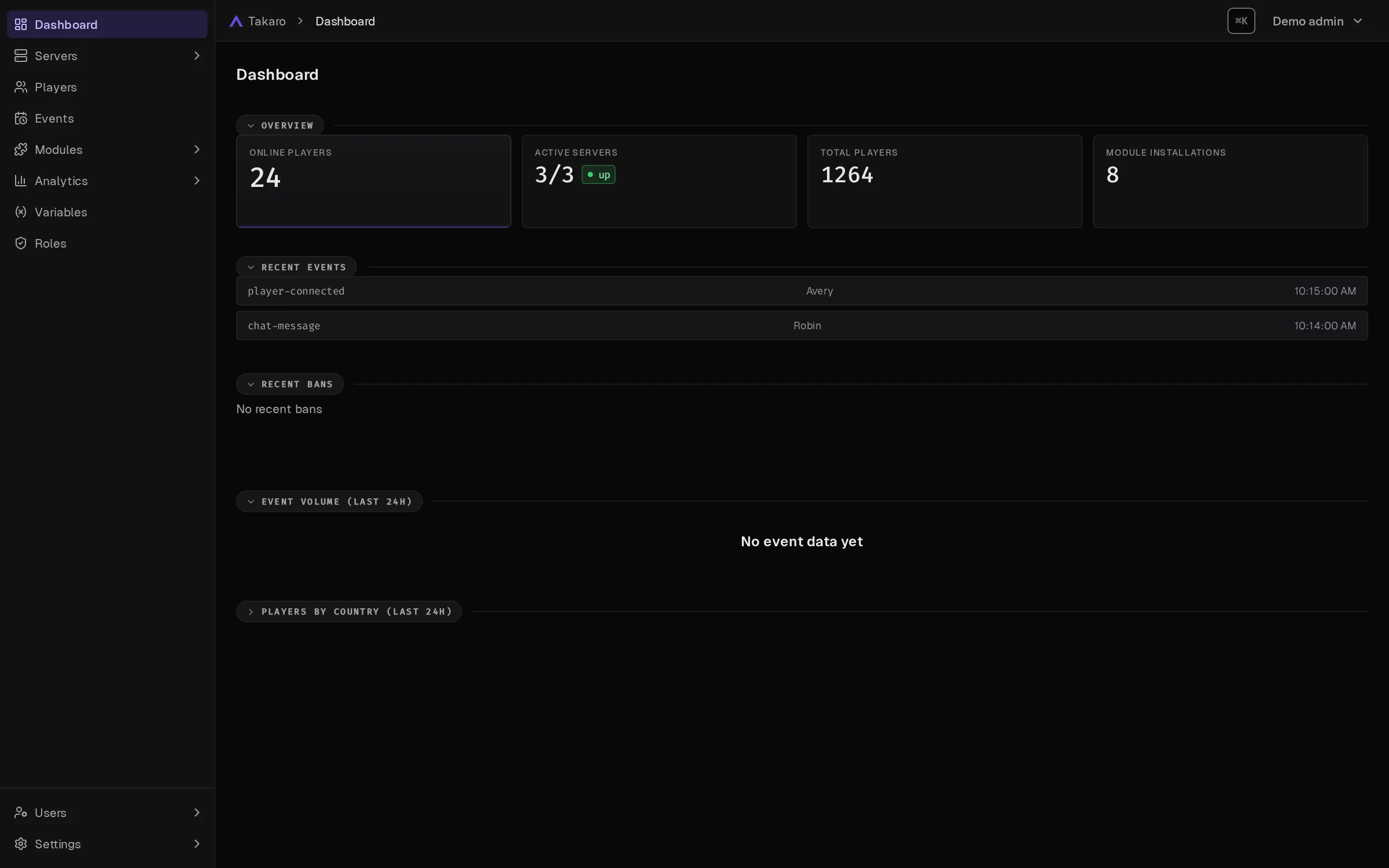
Click through the dashboard
No sign-up, no install. Follow the glowing spot to see how you find a player, catch up on what they did and add a feature to your server.
-
Step 1 Your whole community at a glance Open Takaro and the first page shows who's online, your servers, what happened lately and who got banned. - Alex Esc
Players
A AlexPlayer · online on Coppervale Survival onlineStep 2 Find anyone in a second Press Ctrl+K on desktop and type a name. Players, servers and pages show up as you type. -
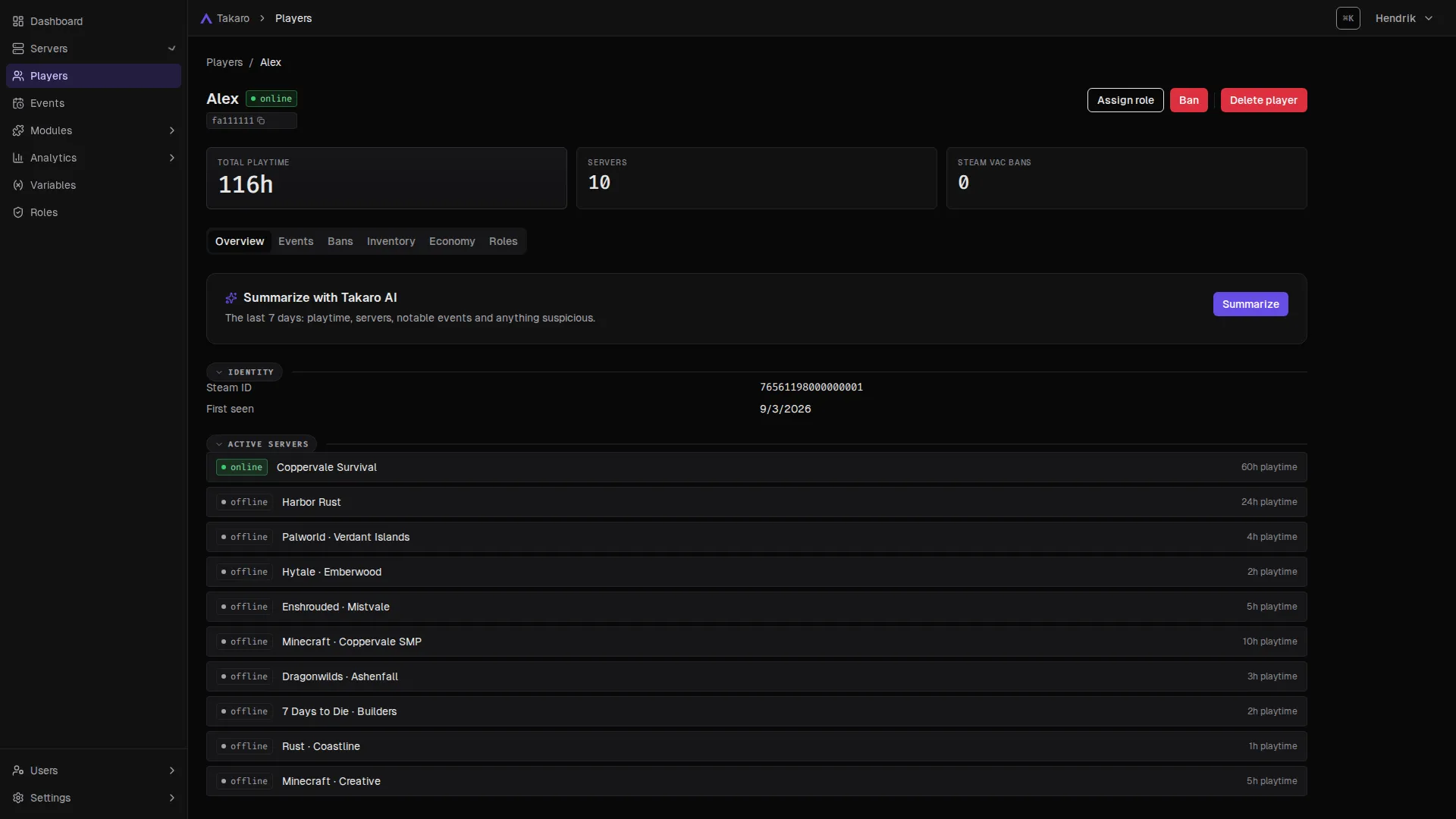
Step 3 One player, one profile Alex plays on Rust, 7 Days to Die, Minecraft and more. Takaro keeps one profile across all of them: playtime, events, bans, economy and roles, plus inventory where the game reports it. -
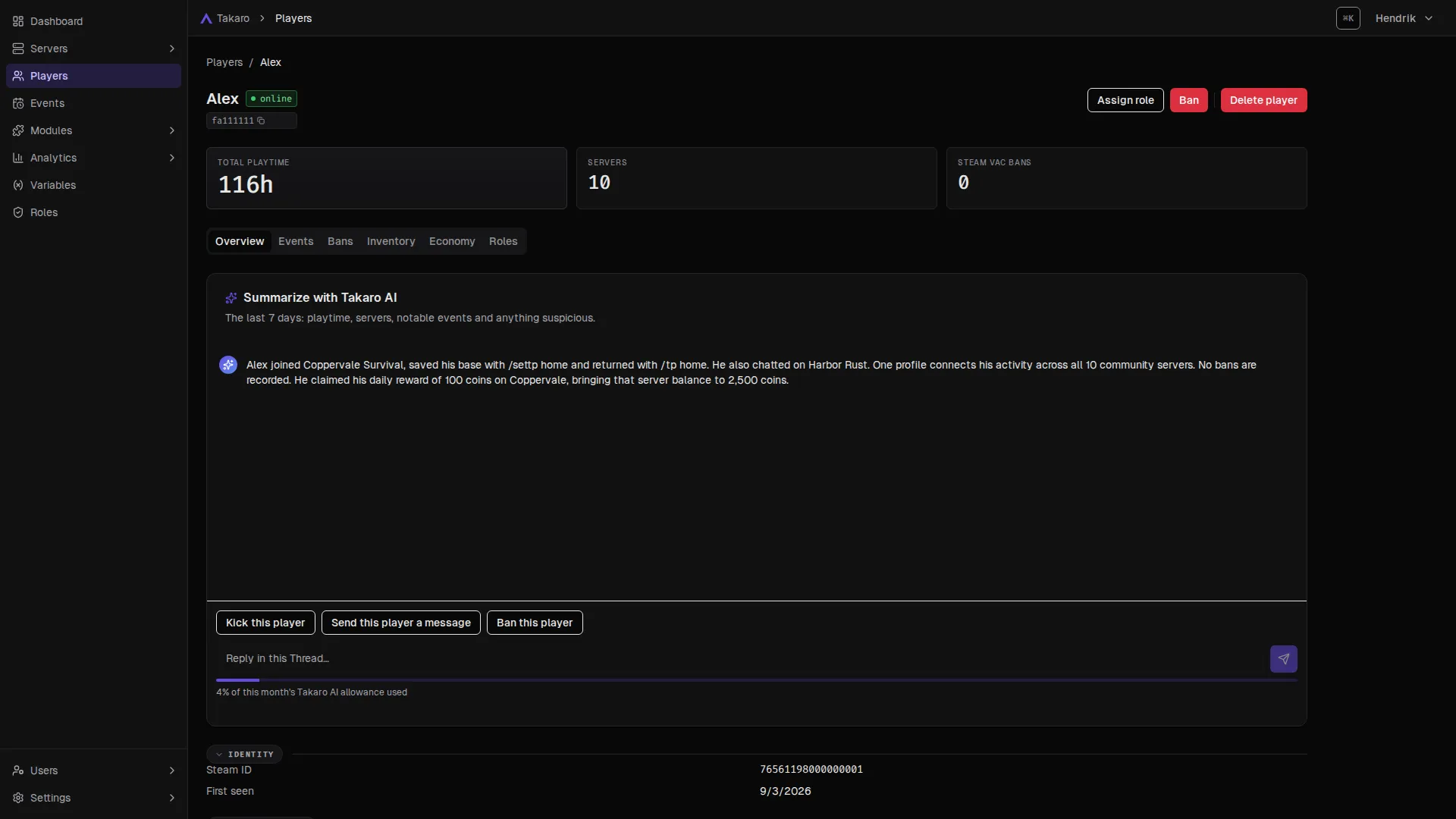
Step 4 Catch up on a player, without scrolling Takaro AI sums up the last 7 days: playtime, servers and notable events. Kick, message or ban from right there. -
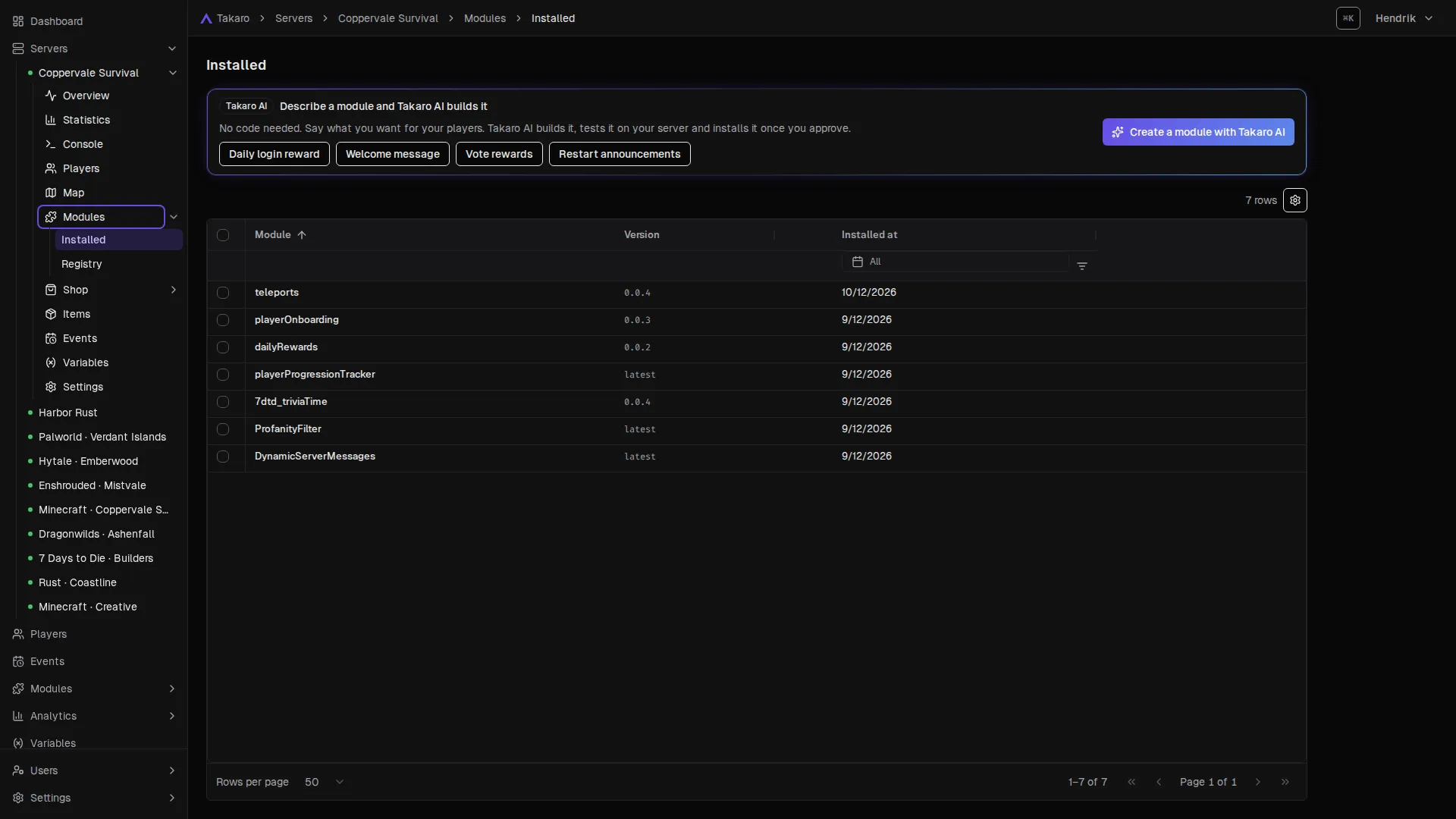
Step 5 Modules: features you switch on Teleports, daily rewards, onboarding, moderation and more, installed per server. Want something that does not exist yet? Describe it. -
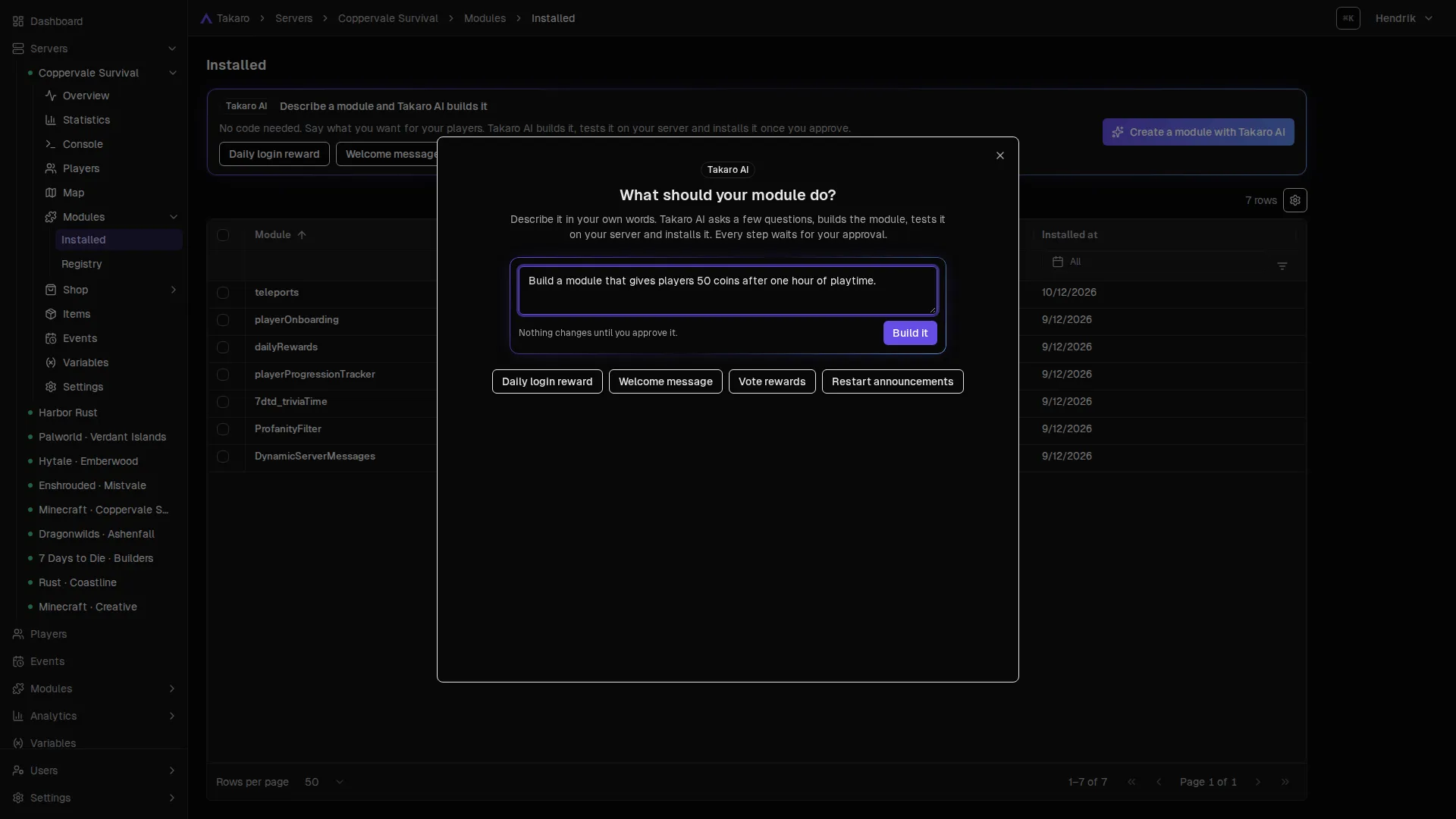
Step 6 Say what you want. No code. Takaro AI asks a few questions, builds the module, tests it on your server and installs it once you approve. -
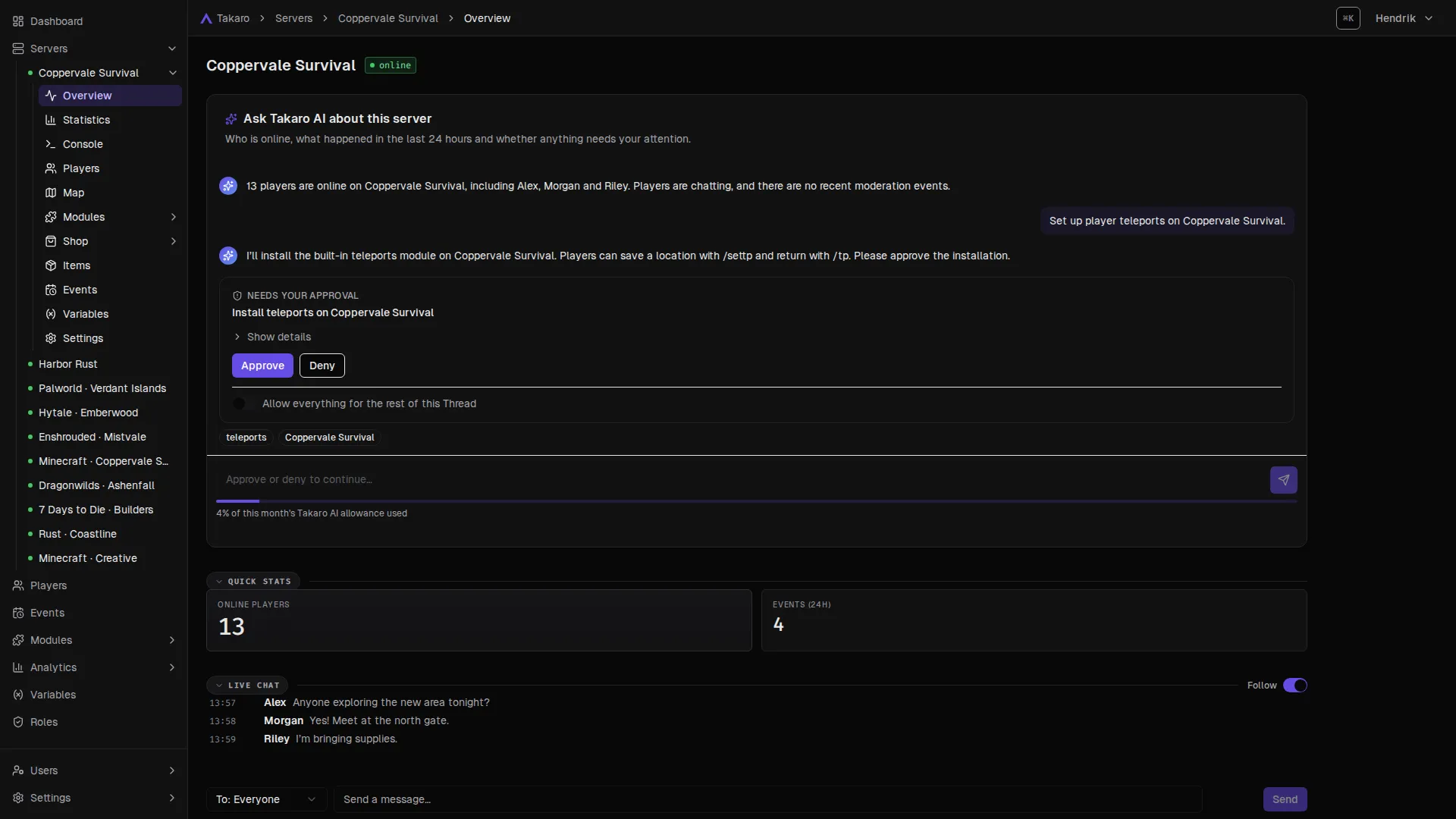
Step 7 Nothing changes until you say yes Every change waits for your OK. Takaro AI can only do what you can do, and anything it wants to run on your server asks first.
That's Takaro
Now try it on your own server.
Free for your first server. A setup guide walks you through connecting it.
Multi-game
Every game you run, one Takaro.
Rust on Monday, Minecraft on Friday, a 7 Days to Die horde night in between. Takaro speaks to each of them, so players, roles, bans and modules all live in one place instead of one tool per game.
- Official connectors
- 15
- Community-supported
- 5
- Your game not listed?
- The generic connector can add games that expose a modding, plugin or RCON interface.
7 Days to Die

ARK: Survival Evolved
Conan Exiles

Dune: Awakening
Empyrion - Galactic Survival
Enshrouded

Minecraft
Project Zomboid
RuneScape: Dragonwilds

Rust

SCUM
Team Fortress 2
Terraria
Valheim
VEIN
 Community
 Astroneer
 Community
 Eco
 Community
 Hytale
 Community
 Myth of Empires
 Community
 Palworld
No supported game matches. Takaro's generic connector can add support for any game with a modding API.
Multi-server
Ban once. Gone from every server.
A cheater banned on one server can just try the next. In Takaro your servers share one player list, so a ban, a role or a rule can reach all of them at once.
- Global bans apply across your servers, and Takaro syncs the bans it manages to the game.
- Roles can be global or set per server: VIP everywhere, moderator only on the Rust server.
- One view of every server's status, players and events, with a dashboard for each.
- Coppervale Survival 7 Days to Die · 13 online
- Harbor Rust Rust · 41 online
- Coppervale SMP Minecraft · 22 online
- Mistvale Enshrouded · 6 online
- Coastline Rust · 18 online
Try the buttons above.
Discord
The bridge between your community and your servers.
Your community lives in Discord, your players live in the game. Takaro connects the two, so nobody misses what happens on the other side.
- Chat flows both ways: game chat shows up in a Discord channel, Discord replies show up in game.
- Events in the right channel: joins, leaves, bans and more, routed per channel and per server.
- Roles that match: players link Discord to their profile and roles can sync between the game and Discord.
- No bot to build: connect your Discord server from the dashboard and pick the channels.
# server-chat Discord
- Takaro [⚡ Connected]: Ashkan
- Takaro Ashkan: did the server crash?
- Warden restart for the patch, back in 15
- Takaro Nyssa: perfect, saving my base now
- Takaro [👋 Disconnected]: Nyssa
In-game chat Game server
- Ashkan joined the game
- Ashkan: did the server crash?
- [D] Warden: restart for the patch, back in 15
- Nyssa: perfect, saving my base now
- Nyssa left the game
Type in the Discord box and watch it land here.
Unified player profile
Same Alex, every game.
The Alex on your Rust server is the Alex on your Minecraft server. Takaro links their game accounts into one profile, so you see one person, not ten strangers.
- One history: playtime, events, bans, economy and roles across every server, plus inventory where the game reports it.
- Linked accounts: Steam, Epic and Xbox IDs, plus Discord when the player links it.
- Rewards follow the player: roles and Discord role sync work from the same profile.
Alex online
- Steam 7656119…0001
- Discord alex
- Epic linked
- Xbox linked
- Playtime
- 116h
- Servers
- 10
- Bans
- 0
- online Coppervale Survival 7 Days to Die 60h
- offline Harbor Rust Rust 24h
- offline Coppervale SMP Minecraft 10h
- offline Mistvale Enshrouded 5h
- offline Creative Minecraft 5h
- offline Verdant Islands Palworld 4h
- offline Ashenfall RuneScape: Dragonwilds 3h
- offline Builders 7 Days to Die 2h
- offline Emberwood Hytale 2h
- offline Coastline Rust 1h
Inventory tracking
See where the diamonds went.
A player swears they lost their gear. Another one is suddenly rich. Takaro records inventory changes with a time and a place, on games that report them, so you can rewind the evening and know.
Inventory at this moment
- Iron Pickaxe 1
- Bread 10
- Torch 32
- Oak Log 20
- Diamond 0
- Elytra 0
- Shulker Box 0
Changes this evening
Inventory history, item search and the live map depend on what each game exposes. Check your game's page for what it supports.
Modules
Switch on what your community needs.
Modules add commands, rewards, moderation and automations to your servers. Install one from the dashboard, change its settings without touching code, or describe a new one to Takaro AI.
A few examples from a library of 54 modules, built-in and from the community. Browse the full library →
-
- Alex /daily
- Server → Alex Daily reward claimed! You received 100 coins
-
- Alex /settp home
- Server → Alex Teleport home set.
- Alex /tp home
- Server → Alex Teleported to home.
-
- Riley /slots 50
- Server → Riley [SLOTS] [ 7 | 7 | 7 ] !
- Server → Riley !!! JACKPOT !!! JACKPOT !!! JACKPOT !!!
- Server → Riley *** Three sevens: +1250 CURRENCY! ***
-
- Server → Riley Your ping (241) is too high. Warning 1/3
- Server → Riley Your ping (238) is too high. Warning 2/3
- Kicked RileyYour ping (252) is too high, please try again later.
-
- Server → Morgan The following items are not allowed with your permission level: Rocket Launcher. Please dispose of them immediately. Warning 1 of 2 before kick
- Kicked MorganMorgan has been kicked for having unauthorized items: Rocket Launcher
-
- Jamie /starterkit
- Server → Jamie You are about to receive your starter kit...
- Server → Jamie Gave 5 items, enjoy!
-
- Sam /roulette red 100
- Server → Sam 🎰 Bet 100 on red... The wheel is spinning!
- Server → Sam 🎲 Result: 11 ⚫ black
- Server → Sam ❌ You lose! Better luck next time!
-
- Sam you are all ******
- Server → Sam You have received 1 of 2 warnings. Continuing will result in being kicked.
- Kicked SamSam has been kicked for profanity.
-
- Morgan /vote
- Server → Morgan You received 250 coins.
-
- Riley /buyTicket 3
- Server → Riley You have successfully bought 3 tickets for 150 coins. Good luck!
-
- Jamie joins from a new IP · country on your deny list
- Banned 24h JamieYour IP address is banned.
-
- Alex /balance
- Server → Alex balance: 2500 coins
- Server → Alex You are about to send 200 coins to Morgan. (Please confirm by typing /confirmtransfer)
- Alex /confirmtransfer
- Server → Alex You successfully transferred 200 coins to Morgan
-
- Server → Alex Warning: You have been AFK for 10 minutes. You will be kicked in 5 minutes unless you move!
- Kicked AlexYou have been kicked for being AFK for 15 minutes
-
- Alex /vipkit
- Server → Alex You are about to receive your VIP kit...
- Server → Alex Gave 4 VIP items, enjoy!
-
- Taylor free skins here → skinz-drop.example
- Server → Taylor You have 1/2 warnings. Sharing links is not allowed.
- Kicked TaylorTaylor has been kicked for sharing links.
-
- Taylor /gimme
- Server → Taylor You received 2x Iron Ingot!
-
- Riley /died
- Server → Riley Teleported to your death location!
-
- Jamie /toggletranslation on
- Server → Jamie Translation has been ENABLED for you.
Takaro AI
Not in the list? Describe it.
"Give players 50 coins after an hour of playtime." Takaro AI builds the module, tests it on your server and installs it once you approve.
Module support varies by game: each module's page lists the games it works with.
Trusted by gaming communities
"The user-friendly interface and the ready-to-use modules are great. Managing multiple servers from one place is exactly what I needed."
"Setup was straightforward, minimal downtime. I'd recommend it for anyone running 7 Days to Die or Rust servers."
"Easy to use, one-stop-shop for server management. Support is great, always there when you need it. 5 stars."
FAQ
Questions server owners ask us
Something else on your mind? Ask in our Discord or read the docs.
What is Takaro?
Takaro is a web-based game server manager for the people who run game servers and their communities. You connect your servers once, then manage players, roles, bans, Discord, an in-game shop and modules from one dashboard, across every game you run.
Which games does Takaro support?
Takaro has official connectors for 7 Days to Die, ARK: Survival Evolved, Conan Exiles, Dune: Awakening, Empyrion - Galactic Survival, Enshrouded, Minecraft, Project Zomboid, RuneScape: Dragonwilds, Rust, SCUM, Team Fortress 2, Terraria, Valheim and VEIN. The community supports Astroneer, Eco, Hytale, Myth of Empires and Palworld. The generic connector can add games that expose a modding, plugin or RCON interface. The games page shows what each game supports.
Can I manage multiple game servers in one place?
Yes. All your servers share one dashboard and one player list, even when they run different games. A global ban applies across your servers, roles can be global or per server, and every player keeps one profile wherever they play.
Does Takaro host my game server?
No. Takaro connects to the servers you already run, through the mod or plugin for your game. A setup guide walks you through it: find the mod for your game, paste in the code Takaro gives you and start the server.
Can Takaro track player inventories?
Yes, on games that report them. Takaro records inventory changes with a time and a place, so you can look back at what a player carried and when it changed. The live map and item search depend on the game too; each game's page lists what it supports.
Is Takaro free?
Your first server is free: one game server, one dashboard user and 3 days of event history. Paid plans add servers and keep history longer. Core features are not locked behind a plan. See pricing.
Do I need to know how to code?
No. Install ready-made modules and change their settings in the dashboard, or describe what you want to Takaro AI and approve what it builds. The API and custom modules are there if you do want to write code.
How does the Discord integration work?
Takaro connects to your Discord server. Game events like joins and chat can go to Discord channels, chat bridges both ways, and roles can sync between the game and Discord. Read more about the Discord integration.
I'm moving from CSMM. How does that work?
Takaro is the successor to CSMM, rebuilt with multi-game support. A migration tool moves your data over, and Takaro AI can help bring your setup across. The migration guide walks you through it.
How do I log in?
With Discord, Steam or email. Already have an account? Sign in with your password once, then link Discord or Steam in your account settings.
Bring your servers together.
Free for your first server. A setup guide walks you through connecting it, then add the rest when you're ready.
Not ready yet? Get the newsletter: new features, modules and tips. No spam.