AI
Tell Takaro what you want. Approve what it does.
Takaro AI is built into the dashboard: it explains what happened on your servers and sets things up when you ask. Prefer your own assistant? Connect it to Takaro's MCP server with one URL.
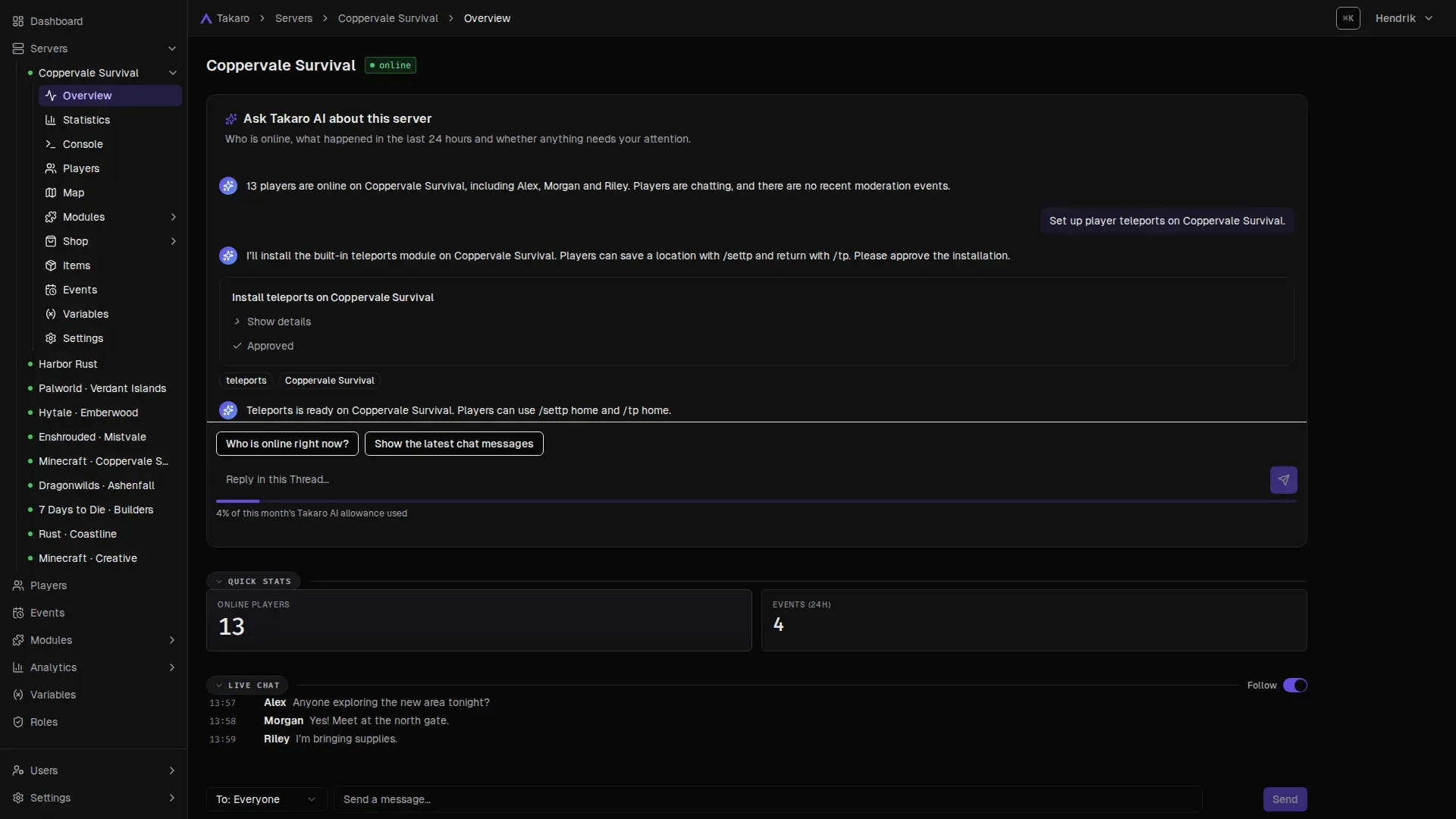
Takaro AI
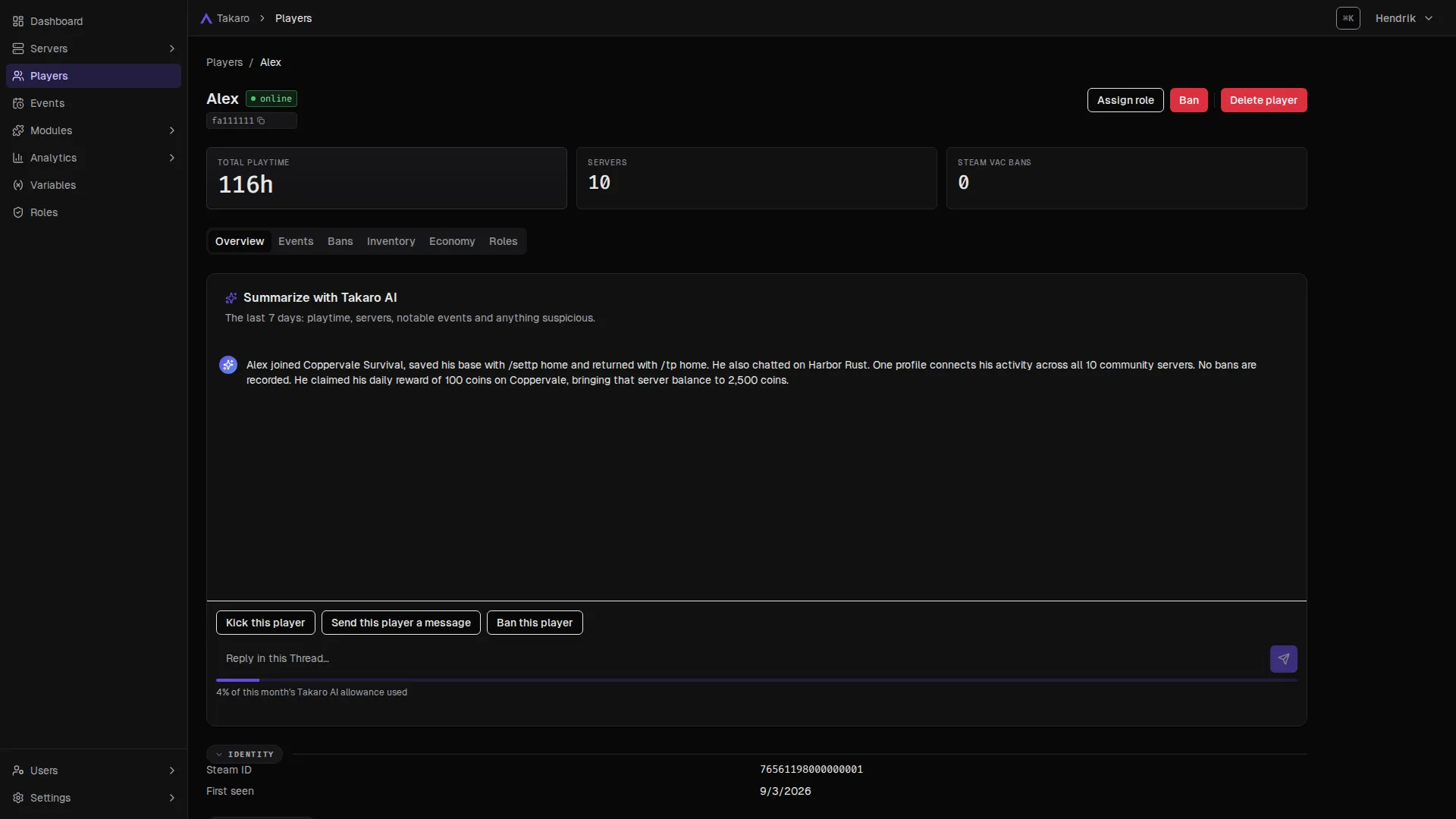
Answers about your players, in plain words
Open a player and ask for a summary: where they play, what they did lately, anything an admin should know. No digging through logs.
- Player summaries from their profile and history.
- Ask about a server and what happened on it.
- Filter events by describing what you're looking for.
Build with AI
Describe a module. Approve it. Done.
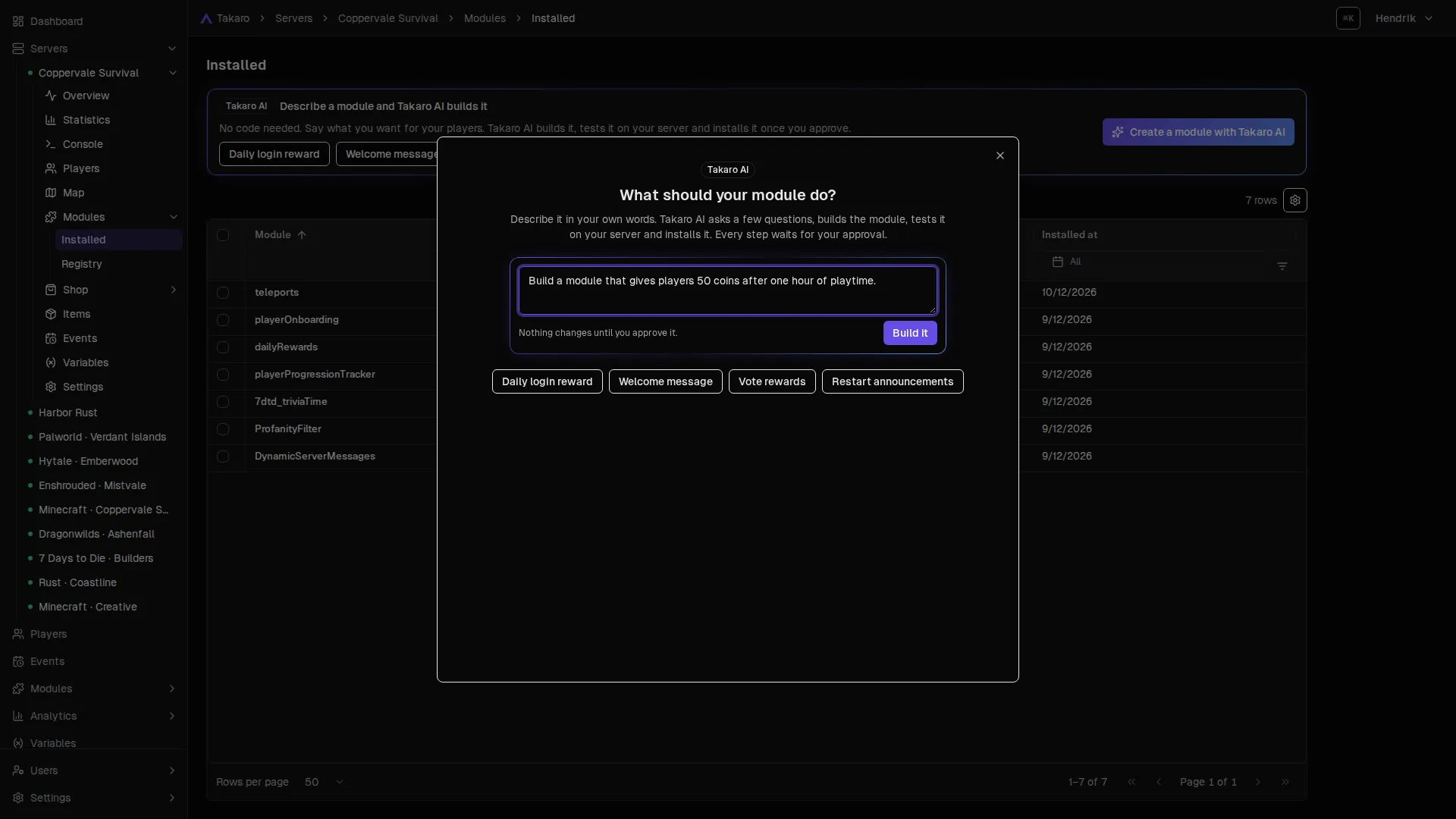
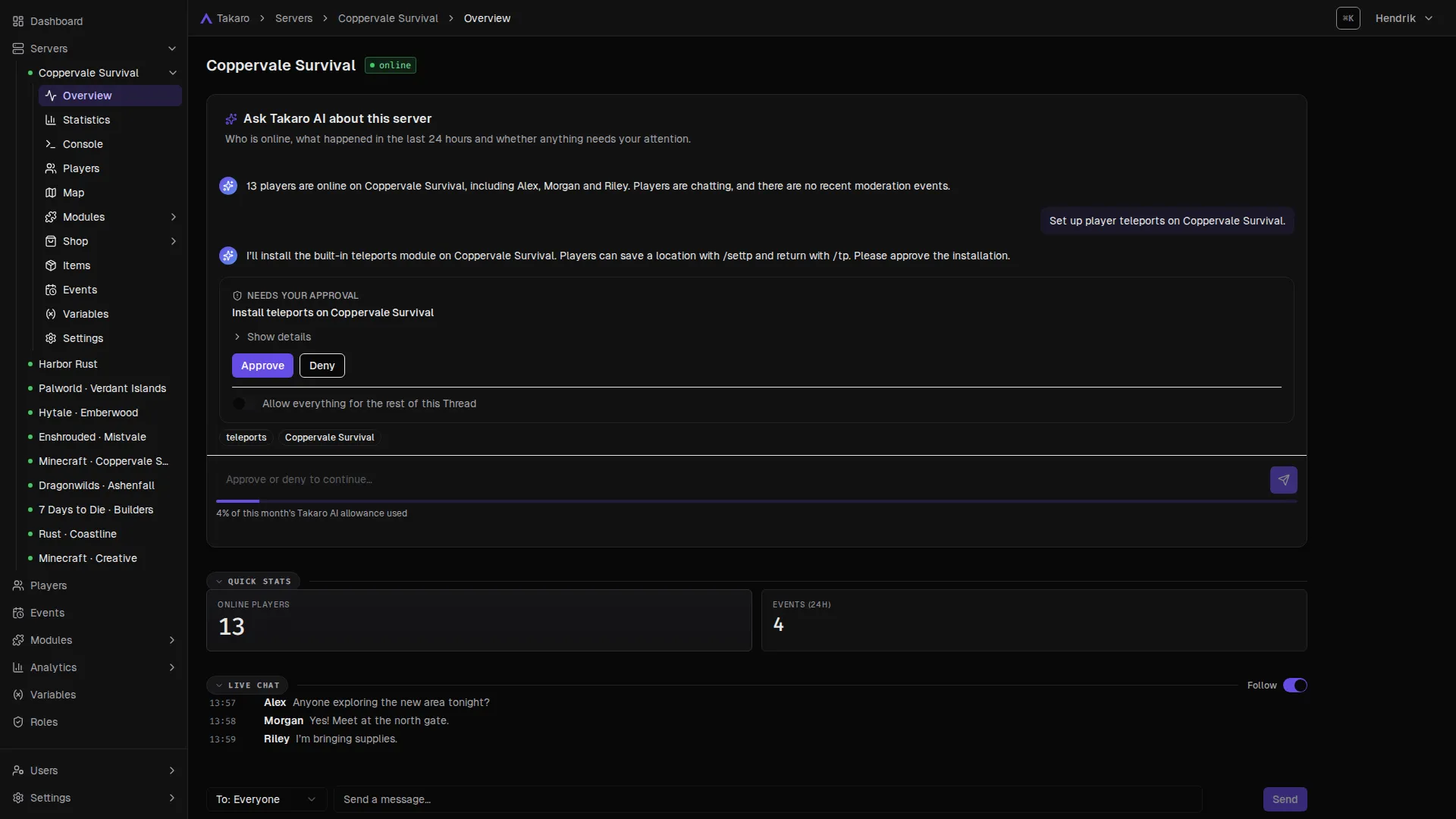
Need a command or a reward that no module has? Describe it to Takaro AI. It builds the module, shows you what it will install and only acts when you approve.
- 1 · Describe
- 2 · Approve
Your own assistant
Run your servers from your own AI assistant
Takaro has an MCP server: the same API the dashboard uses, for assistants that speak the Model Context Protocol. Claude Code is verified end to end; the guide lists the others. Add the URL, sign in with your Takaro account and approve the consent screen. Your assistant can then read and change what you can, and nothing more.
- Acts as you, with your roles and permissions. Its actions are logged like yours.
- The Takaro skill teaches it the flows: onboarding, modules, bans, roles, the shop, Discord.
- A brake on deletes: delete too fast and the next one is refused until it asks you.
$ npx skills add gettakaro/skills$ claude mcp add --transport http takaro https://api.takaro.io/mcp> set up my new 7 Days to Die server Connected to domain "My community". Server "Navezgane" is online. Installing utils, playerOnboarding and serverMessages… done. Type /ping in game to see Takaro answer. Ideas
Things you can ask it to do
Most things you do in the dashboard. These are the ones people start with.
- Onboard a newly connected server: starter modules, settings, an admin role
- Install and configure modules, or switch one command off
- Find a player, see what they did, kick or ban them
- Create roles and hand out permissions
- Put items in the shop, check balances, give currency
- Set up Discord chat bridge and role sync
- Write and test a custom module
Setup
Connect your assistant in three steps
No API keys to copy around. Your assistant signs in the way you do.
- 01
Install the skill
npx skills add gettakaro/skillsputs the Takaro flows into Claude Code, Codex, Cursor, VS Code and the rest. - 02
Add the MCP server
One URL:
https://api.takaro.io/mcp. Sign in when the browser opens and approve the consent screen. - 03
Ask
"List my Takaro domains" proves the connection. "Help me get my server set up" starts the onboarding.
What is Takaro AI?
Takaro AI is the assistant built into the Takaro dashboard. Ask it about a server or a player, or ask it to set something up, like a module. Every change waits for your approval, and it can only do what you can do. It is free for everyone while we test it, free plan included.
Which assistants work?
Claude Code is verified end to end. Codex, Claude.ai and ChatGPT connect with the same URL and are expected to work. Cursor and VS Code need a client id we provide. The full list, with what has and has not been tried, is in the docs.
What can the assistant do to my servers?
Exactly what you can. It signs in as you, through the normal Takaro login, and every call carries your roles and permissions. Staff-only operations are not exposed to it at all, and everything it does is in your event log under your name.
Can it delete everything by accident?
It is built to stop that. Takaro brakes an assistant that deletes too fast: after a handful of deletes in a minute the next one is refused with an instruction to stop and ask you. Reads keep working, so it cannot lock you out either.
What is the skill for?
The MCP server gives an assistant the API. The skill gives it the flows: which operations make up "set up a new server" or "ban this player", in what order, and how to check the result. Install it with npx skills add gettakaro/skills; it works in every agent the skills CLI supports.
Does it cost extra?
No. The MCP endpoint and the skill are part of every Takaro plan, including the free tier. You pay your AI assistant's provider as usual.
Let Takaro do the busywork.
Takaro AI is free for everyone while we test it, free plan included. The MCP endpoint and the skill are part of every plan.
Not ready yet? Get the newsletter: new features, modules and tips. No spam.