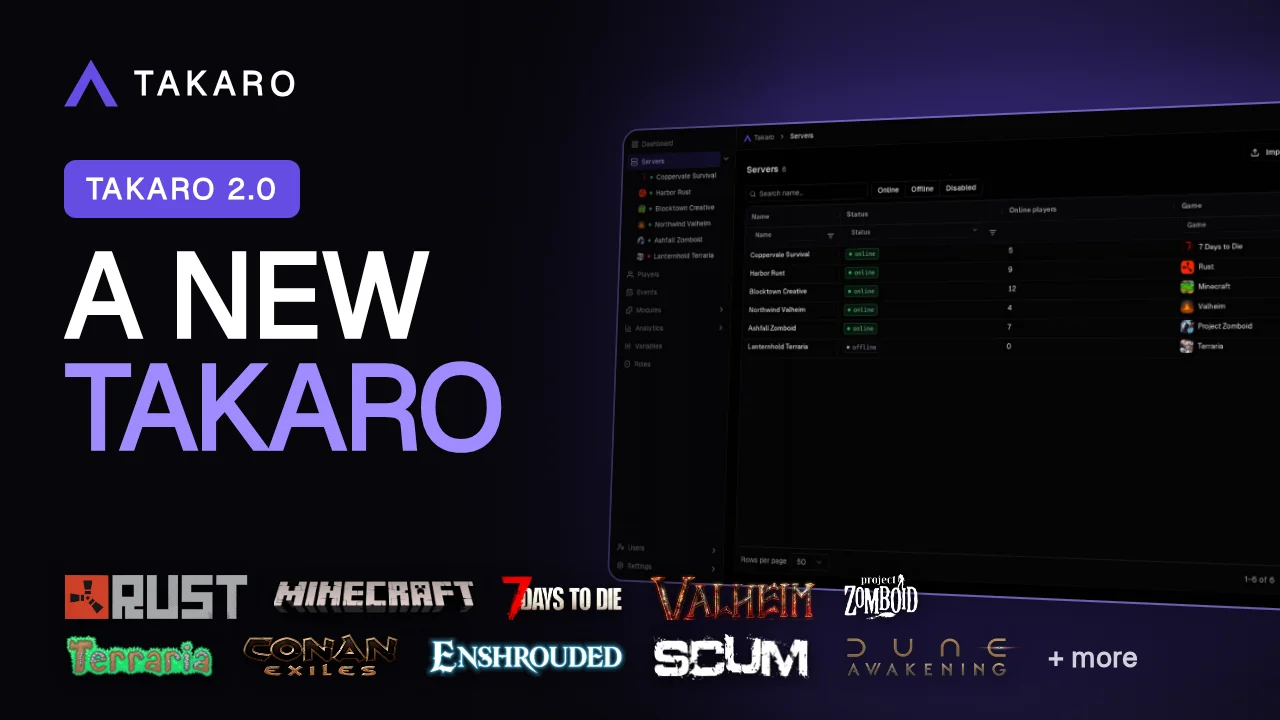
It’s Sunday. You open Takaro to see what happened on your server last night, and you’re logged out. Don’t worry, nothing’s broken. Takaro 2.0 is out, with a new dashboard, login with Discord or Steam, and Takaro AI built in.
Already use Takaro? Getting back in takes a minute. Jump to how to log in.
New here? Takaro is a web-based manager for your game servers and their community: players, roles, Discord, shop and modules in one place.
Prefer to watch? The launch video shows it all in about a minute, and the full walkthrough takes you through it step by step.
A new dashboard: your whole community at a glance
Someone griefed your base overnight. You want to know who, and you want to find them fast.
On desktop, press Ctrl+K and type their name. Takaro finds them. Servers work the same way. You can ask Takaro AI from there too.
The new dashboard replaces the old one. Everything now sits in one sidebar, so you stop hunting through menus. The first page shows who’s online, your servers, what happened lately and who got banned.
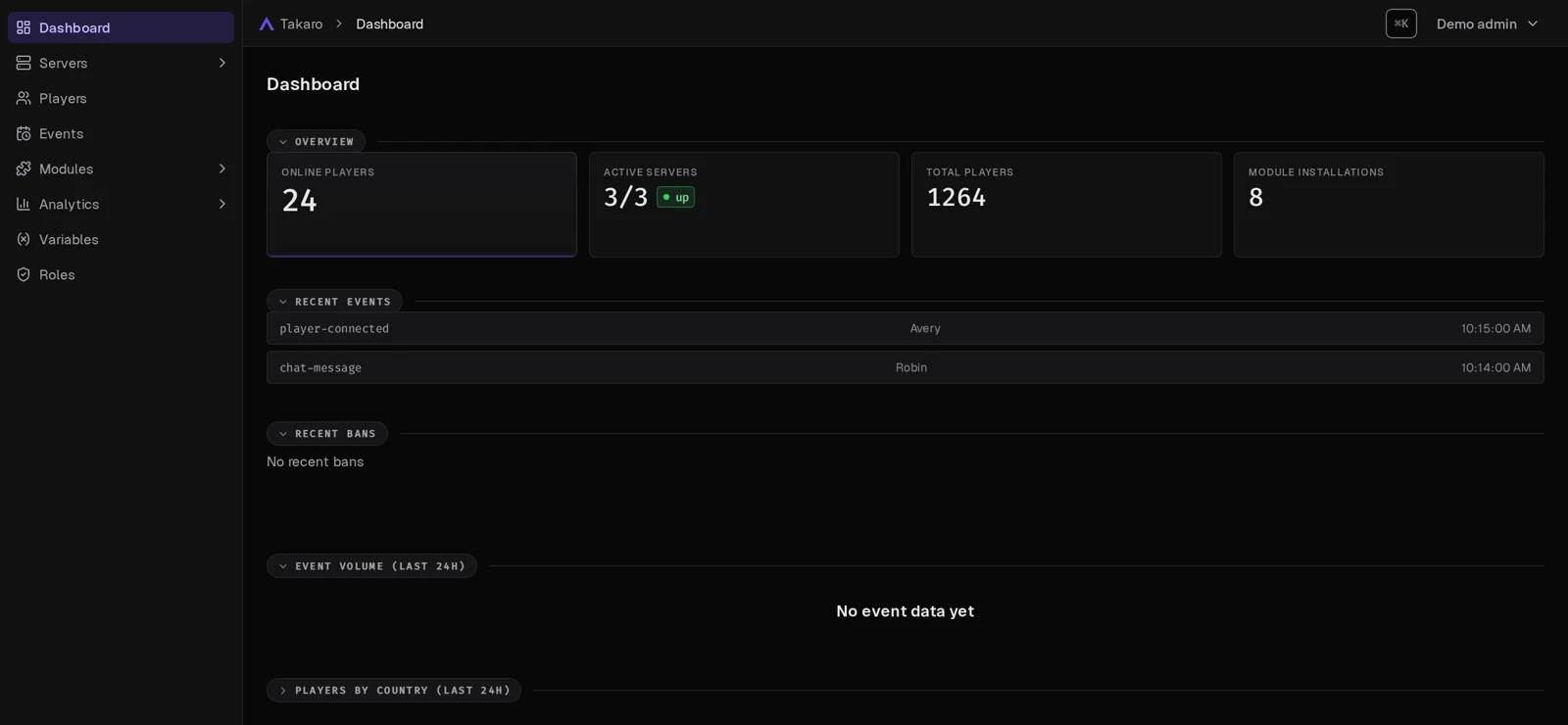
Not all your admins read English? The dashboard speaks 15 languages, including Dutch, German, Japanese, Arabic and Hebrew. Arabic and Hebrew read right to left, and the login pages switch with it.
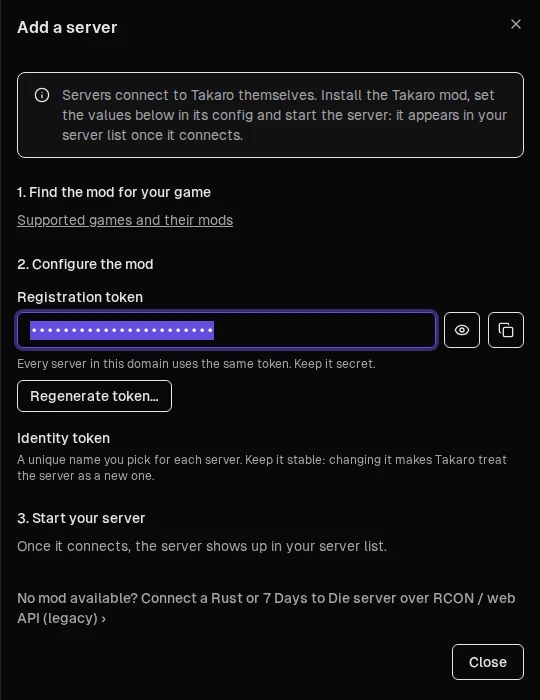
Adding a server is simpler too. A setup guide walks you through it: find the mod for your game, paste in the code Takaro gives you, and start the server.
Log in with Discord or Steam
You already have Discord and Steam open all day. Now they get you into Takaro too.
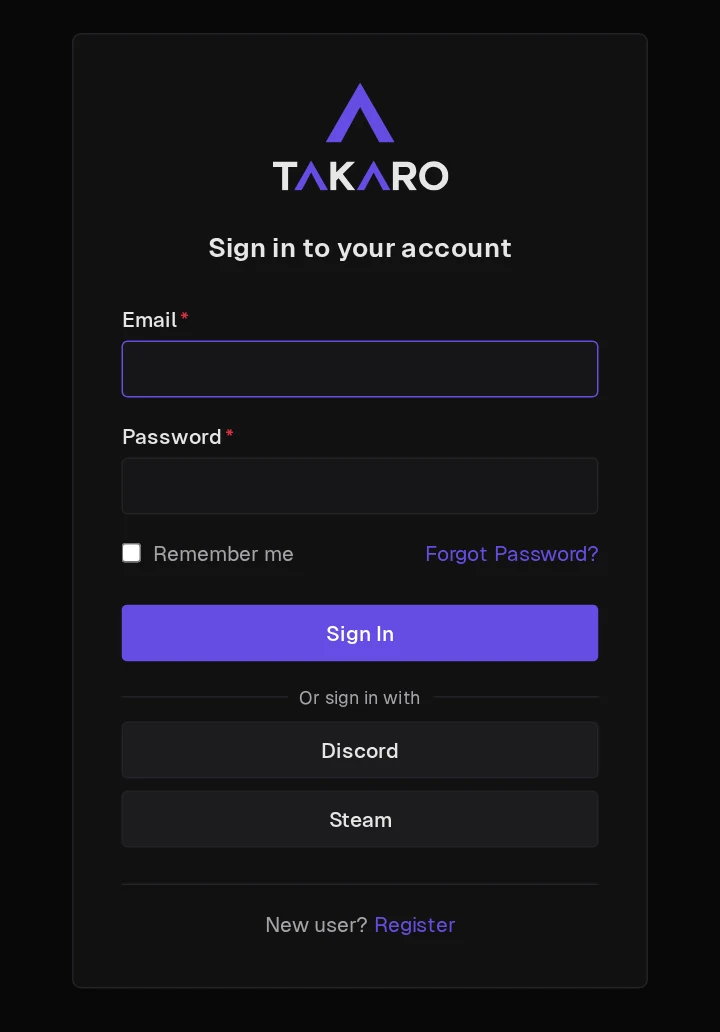
New to Takaro? Sign up with Discord, Steam or email. Already have an account? Sign in with your password first, then link Discord or Steam. Here’s how.
Your players get something out of it as well. When a player signs in with Steam and that Steam account already plays on your server, Takaro links them to their player profile. They can shop in your web store without typing a code first.
Takaro AI: get the module you want without writing code
Your regulars deserve a daily reward. Your supporters want a VIP kit. You don’t write code, and you don’t want to hunt for a script.
Takaro AI is built into the dashboard. Tell it what you want in plain words:
- Get a module. Ask for “a daily reward kit for VIPs”. It builds and tests it, then installs it once you say yes.
- Find out what broke. A command failed? It tells you why.
- Catch up on a player. Ask for a summary instead of scrolling their history.
- Move over from CSMM. It helps bring your setup across.
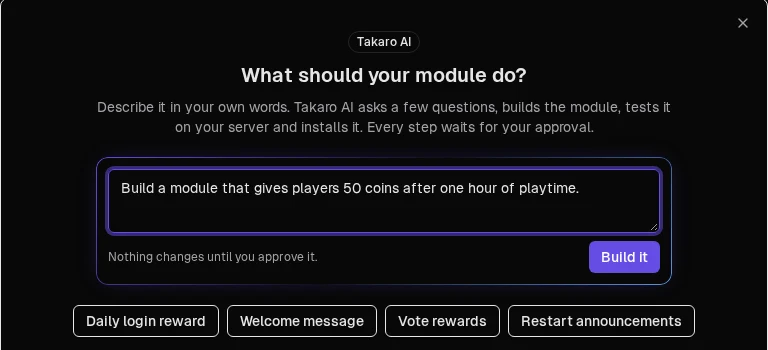
Every change waits for your OK. Takaro AI can only do what you can do, and anything it wants to run on your server console asks first.
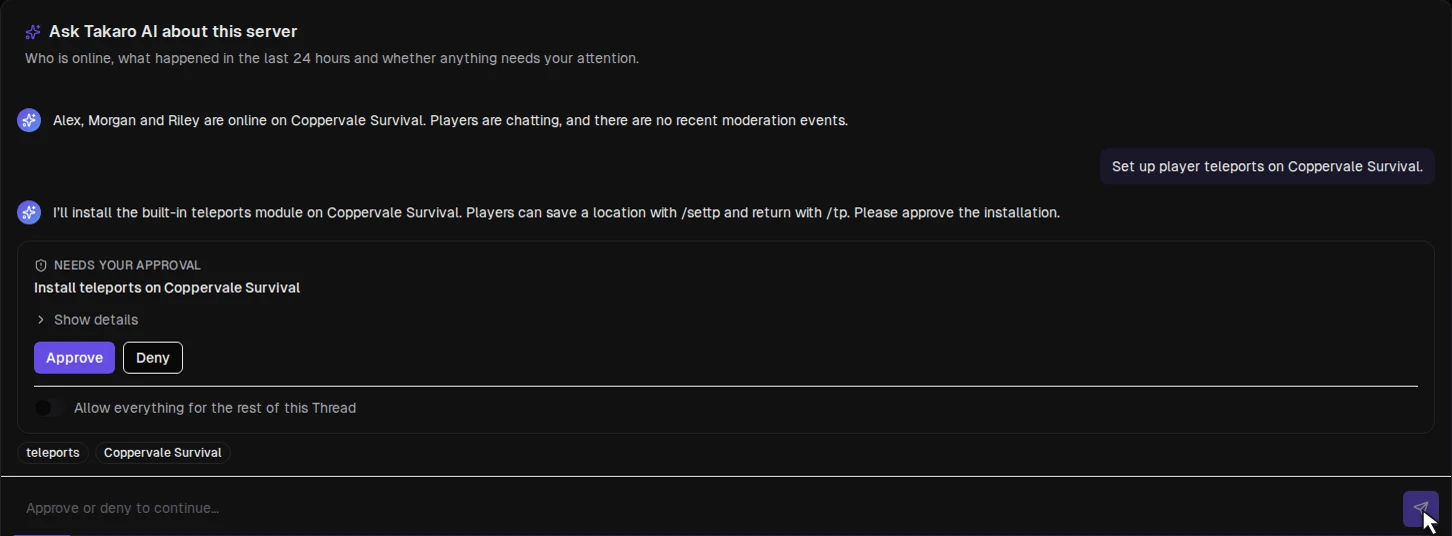
Takaro AI is free for everyone while we test it, free plan included. On the free plan, connect your server first and it’s ready to go.
Already use Takaro? How to log in after the 2.0 update
Do this once and you’re set:
- You’ll be logged out once when the update goes live.
- Sign in with your current email and password.
- Open the user menu → Account settings and link Discord or Steam.
- From then on, log in with any of them.
Don’t log in with Discord or Steam before you’ve linked them. That creates a separate, empty account without your servers.
Stuck? Ask us in Discord and we’ll help you get back in.
Write your own modules? Check the changelog.
Get started
New to Takaro? Create your free account at takaro.io, log in with Discord or Steam, and connect your server.