A player has been grinding all week and finally hits a big level. They mention it in Discord. Nobody on staff noticed, and there’s no reward waiting.
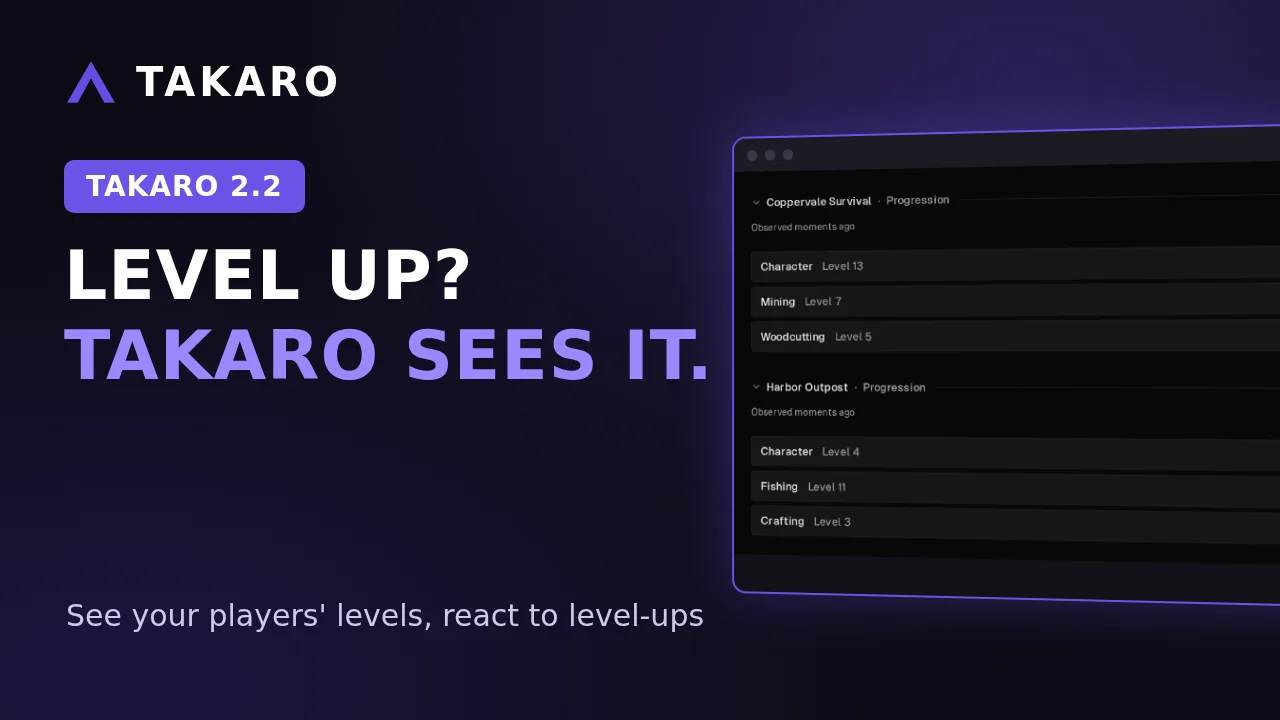
Takaro 2.2 adds Player Progression. Your game server manager now sees your players’ levels, and your automations (modules) can react when they change. It works on games that report levels to Takaro; your game’s page says what Takaro sees in your game.
See their levels
Open a player and look at Progression on the Overview tab. It shows every level track your game reports, for each server that reports it.
The game decides what the tracks are. That might be a character level, a skill, or something else. Takaro shows what the game reports, so you see what your game tracks.
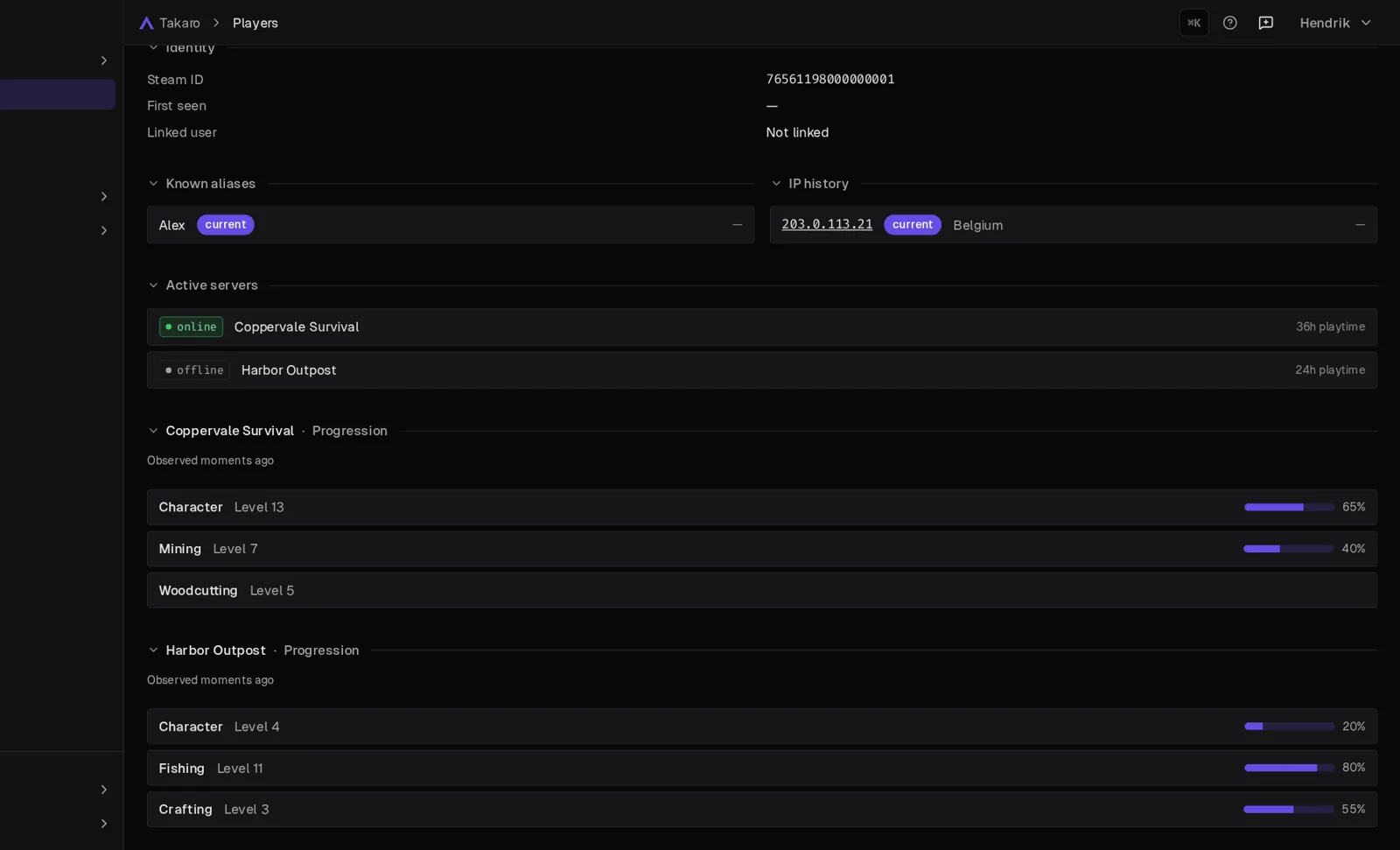
So when a player says “I lost my levels after the restart”, you don’t have to ask for a screenshot. Open their profile and see the last level the game reported, with the time it was seen.
React to a level-up
When a level goes up or down, Takaro records a player-level-changed event. You’ll see it on the Events page, and a module can react to it. Use it to:
- Reward a player who hits a level.
- Announce the level-up in game or in Discord.
- Flag a jump that looks too big to be real.
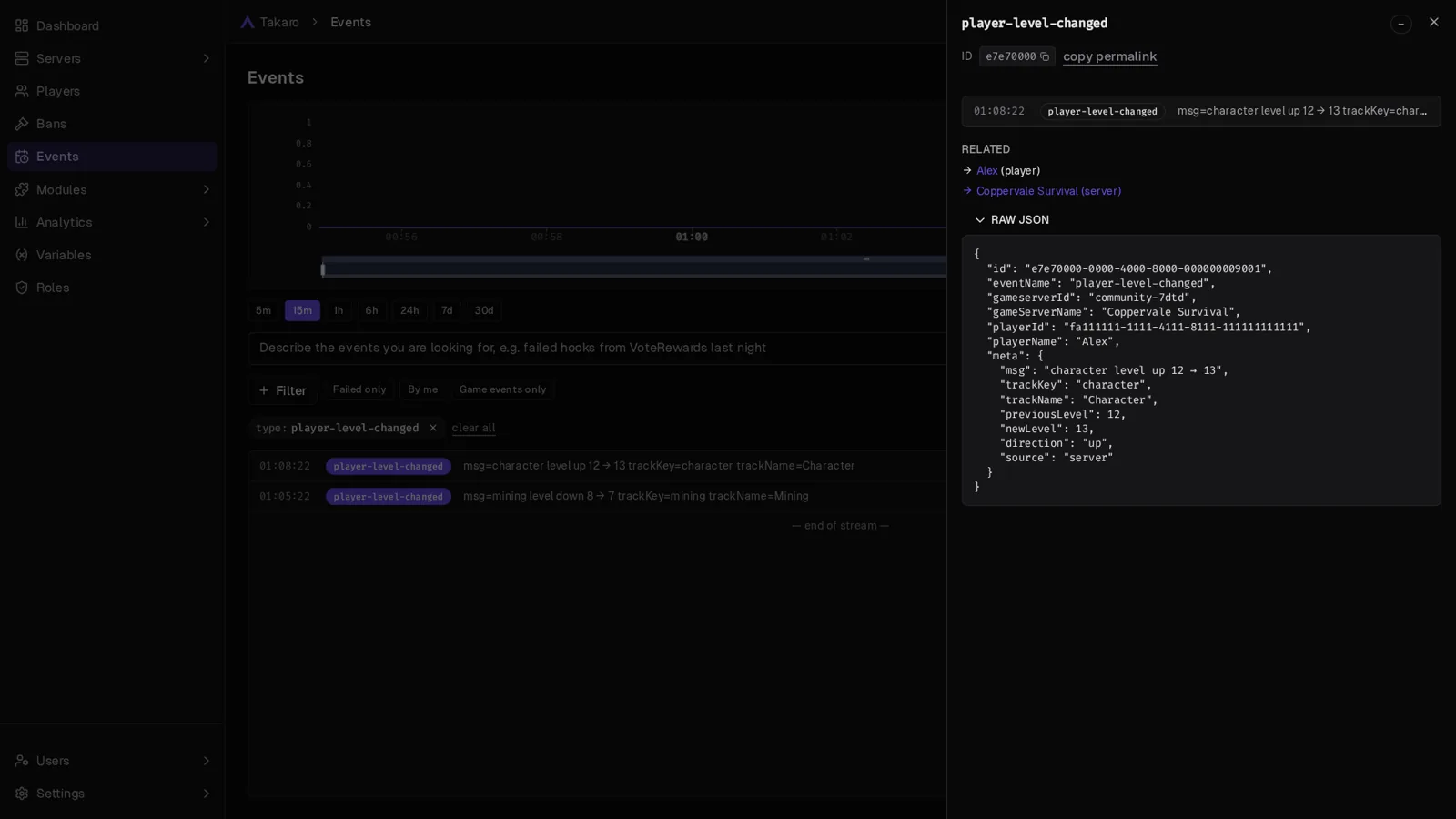
A few things worth knowing before you set up rewards:
- One event per jump. If a player jumps several levels at once, you get one event with the old and the new level. Set up your reward so they still get every level in between.
- No event for the first reading. Takaro needs to know a player’s level before it can tell you it changed.
- Some levels come from the player’s game. Players who cheat with mods could fake those, and the event says when a level came from there. Think twice before handing out big rewards for them.
Want to build it yourself? The module docs show how to react to one level, like only the character level, with a small code example.
Spot alt accounts
A player you banned last month is back under a new name. The player profile can help you catch that.
- IP history and Known aliases show every IP address and name a player has used. Same IP, different name? Worth a closer look.
- The Identity section shows the linked User ID and Discord ID, for staff who can read users.
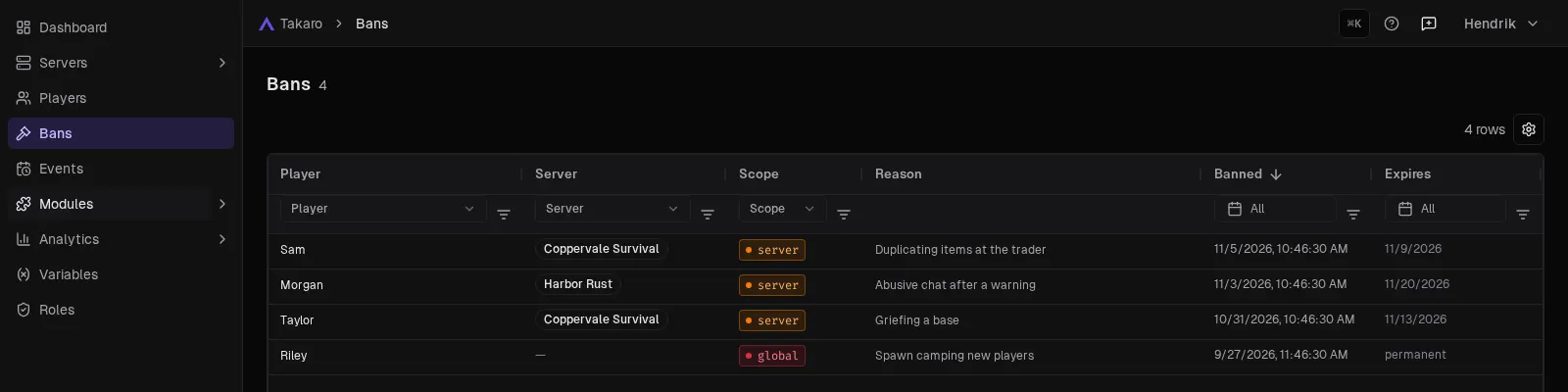
There’s also a new Bans page that lists every ban in one place. Recent bans shows who was banned, on which server and until when.
Also in 2.2
- Upgrade from inside Takaro. Free domains get an Upgrade button, and your servers, players and modules stay where they are.
- A better item picker in module settings: wider, search by item code, exact matches first. Copying a module to another server keeps its items right.
- Clean item names. No more raw colour codes in 7 Days to Die item and entity names.
- Codex can connect. Codex, OpenAI’s coding assistant, can now sign in to Takaro’s AI connection and manage your domain as you. It needs Codex 0.166.0 or newer and a few lines in its config file. Find them in Takaro under Settings → General → AI assistants, on the Codex tab.
Everything else is in the changelog.
Good to know
- It works where your game reports levels. If your game doesn’t report levels to Takaro, there’s nothing to show or react to yet.
- Use Takaro’s data in your own scripts? Some old tracking endpoints were removed. The changelog lists what to use instead.
Try it tonight
Open a player and check Progression. New to Takaro? Create your free account at takaro.io and connect your server.