Modules
Daily rewards, teleports, restart warnings. Switch them on.
Modules add features to your game server from the Takaro dashboard, like plugins, but with no mods folder to manage: commands, automatic jobs and shop actions. Pick one, fill in a form, done. They run in Takaro, so a game update doesn't wipe your settings, and you can install the same module on your other servers too.
Every module on every plan, the free one too.
What a module is
Four kinds of building blocks
A module bundles any of these. You set them up in the dashboard; your players just type or play.
-
Commands
What players type in chat, like /tp or /daily. Each can have a cost, a cooldown and extra names.
-
Hooks
Code that runs when something happens: a player joins, dies or says a word in chat.
-
Cron jobs
Code on a schedule, like a message every 30 minutes or a nightly restart warning.
-
Shop actions
Code that runs when a player buys a shop listing: grant a role, give items, run a command.
Official and Community
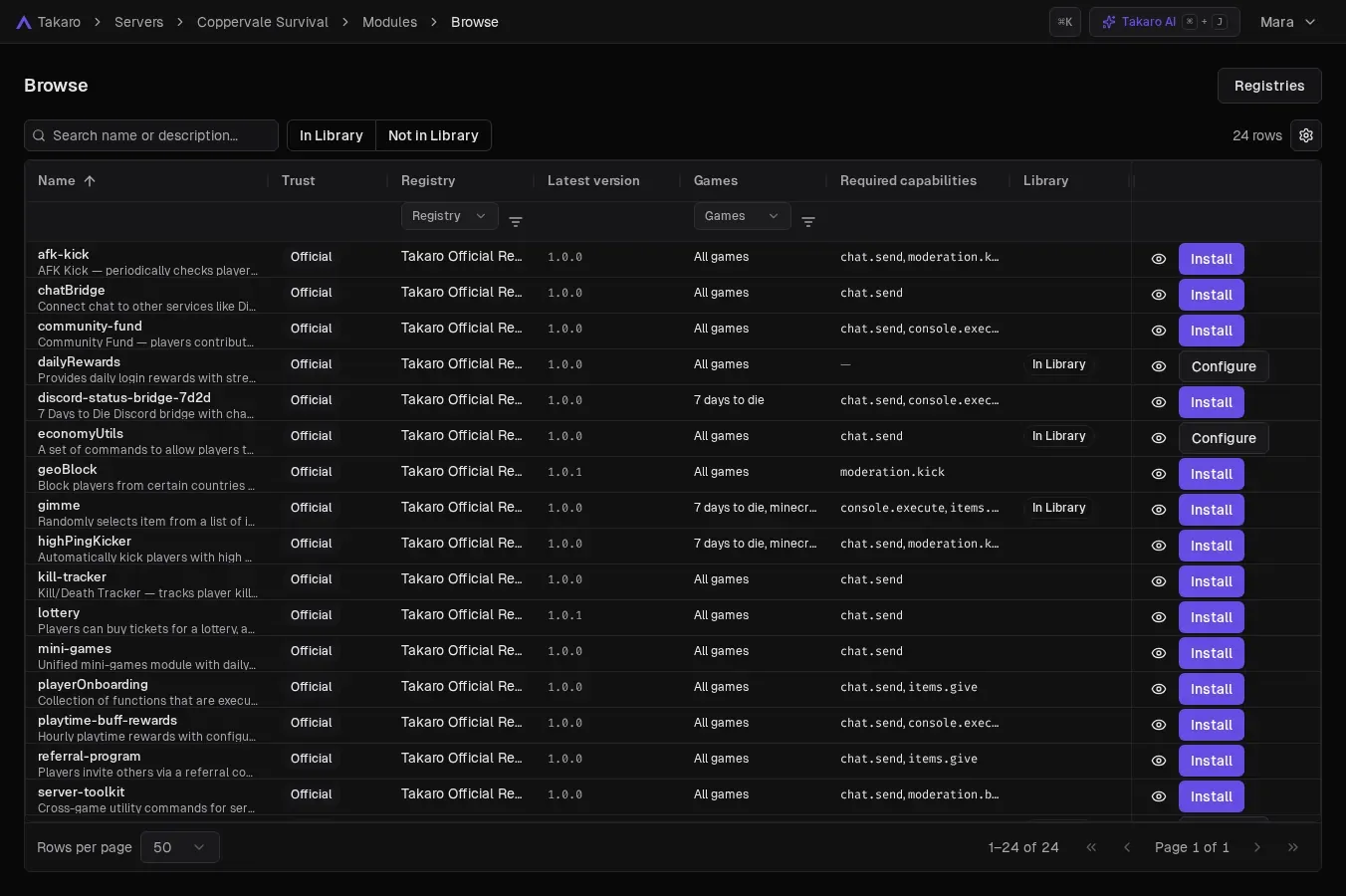
Start from the Official Library
Takaro's own modules are there from the start, in Modules → Browse. Want more? Add a community registry under Registries: a library of modules someone else shares. Takaro doesn't review those, so only add ones you trust.
- dailyRewards /daily coins that grow with a login streak.
- teleports Players save spots with /settp and go back with /tp.
- chatBridge Game chat in your Discord channel, and back.
- timedShutdown A warning, then a shutdown at the time you set.
- serverMessages Rotating messages: rules, Discord link, restart times.
- geoBlock Keep players from chosen countries off the server.
Configure
Change how it works, without touching code
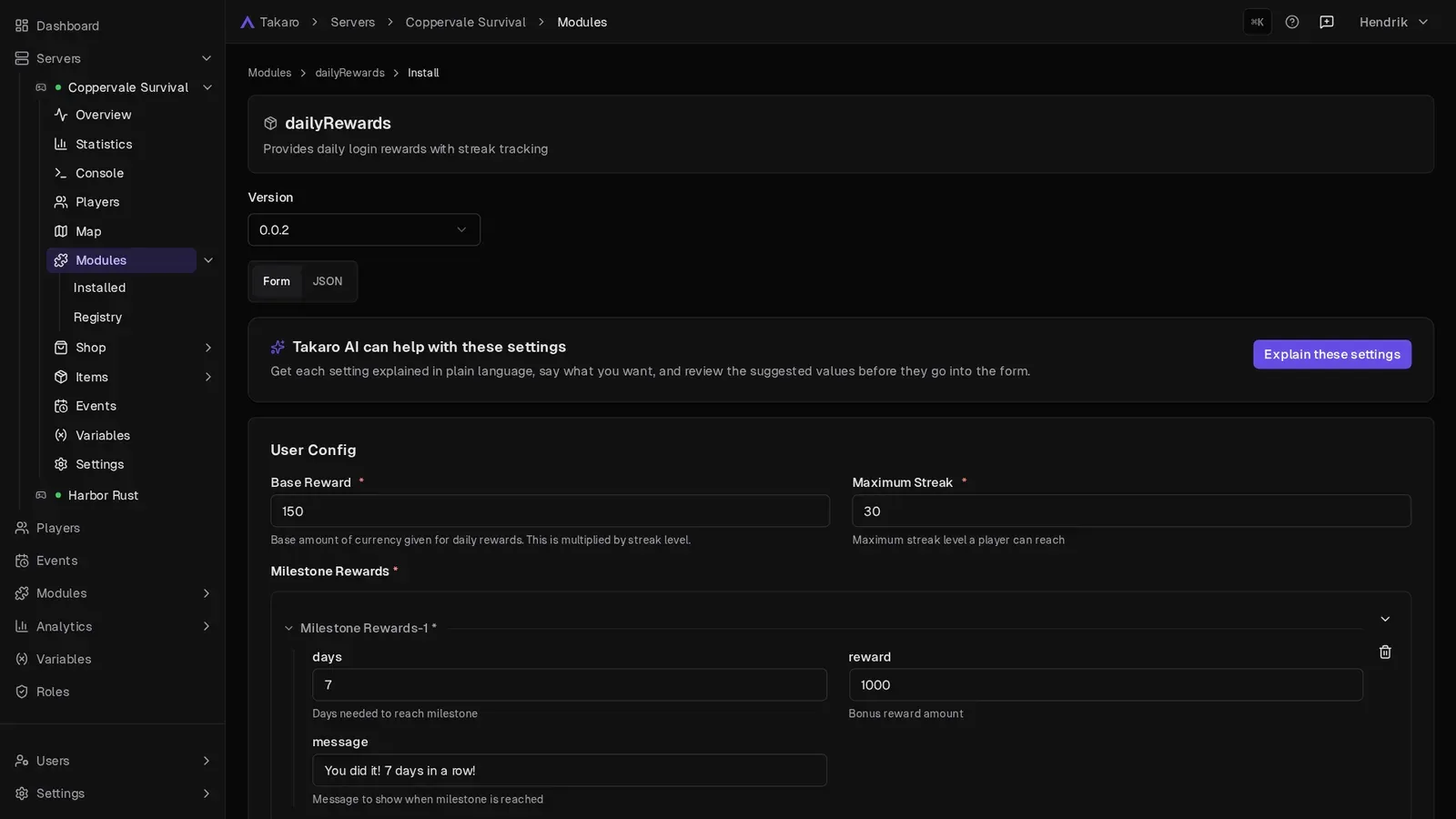
Every module gets the same settings on top of its own, so you tune it the same way everywhere.
- Per command: a cost in your currency, a cooldown, a delay and extra names players can type.
- Per hook and cron job: on or off, a delay, a cooldown or a new schedule.
- Explain these settings: Takaro AI explains each one in plain words.
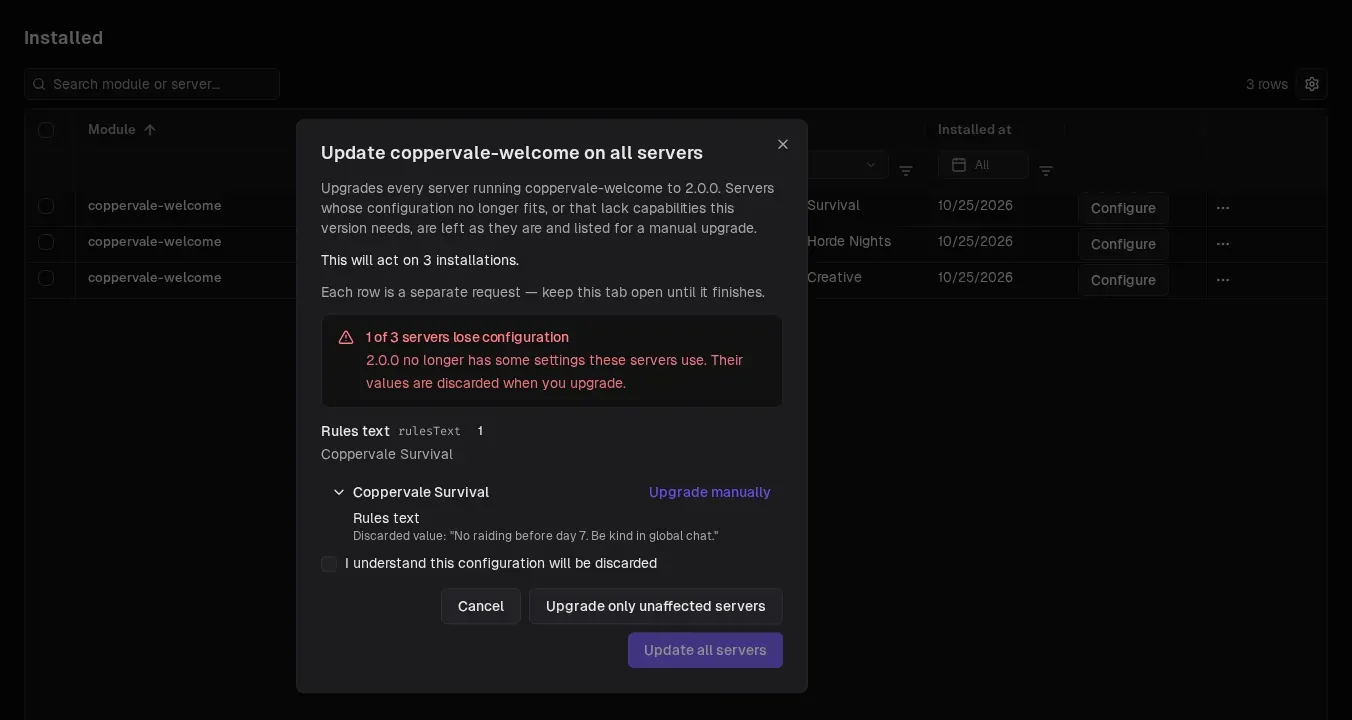
- No surprise updates: a server keeps its version until you pick Upgrade to. Update all servers warns you first when settings would be lost.
Build your own
Describe the module you want. Takaro AI builds it.
Want a reward for every hour played, or a /discord command? On Modules → Library, choose Create a module with Takaro AI and say what it should do. It asks a few questions, writes the module, tests it on your server and waits for your approval.
- Change an Official module? Copy and edit with Takaro AI makes an editable copy; the original stays.
- Prefer code? Write it in the module editor and tag a version your servers install.
Copy your own
Start a new module from one you already made
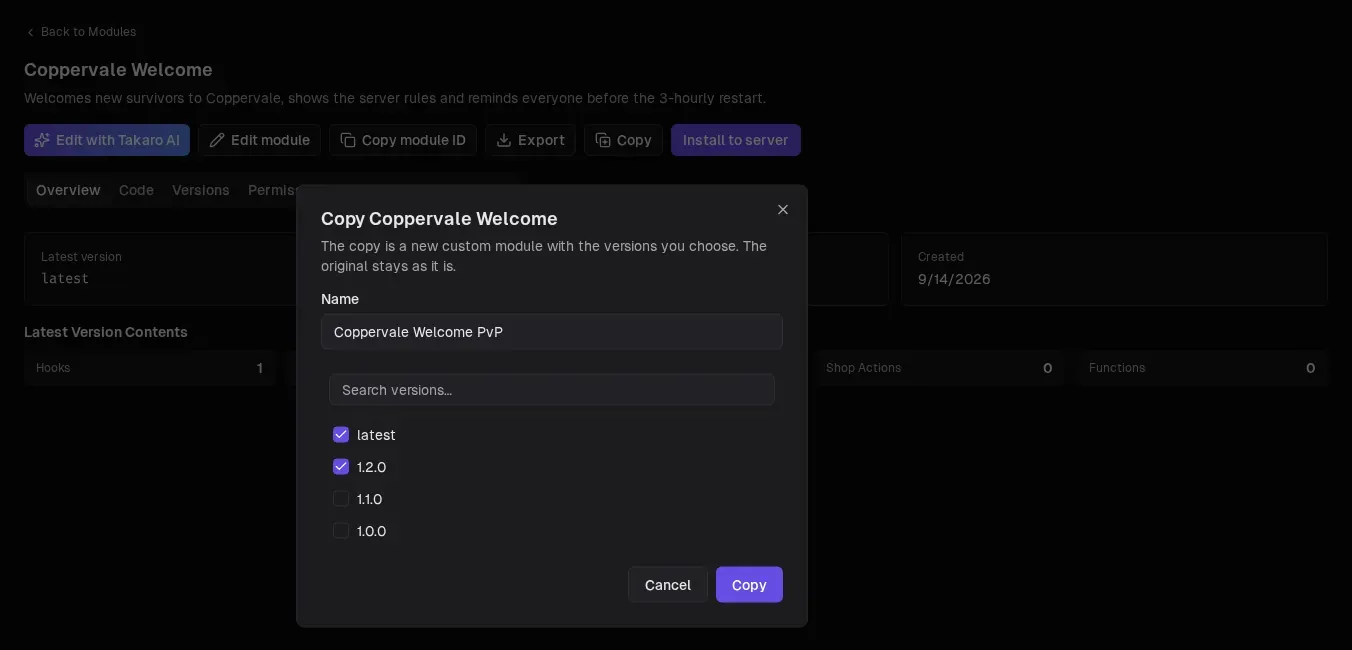
Your welcome module works and your PvP server needs its own version? Open it in Modules → Library, choose Copy, give it a name and pick the versions to bring along. The copy opens in the editor; the original stays as it is.
- Defaults tab: set the cooldowns and schedules every new install starts with.
- Export a module as JSON and import it into another Takaro community.
How to install
Your first module in three steps
New to Takaro? Create a free account and connect your server first. Running 7 Days to Die? A Blueprint installs a whole set in one go.
- 01
Find a module
Open your server, then Modules → Library or Browse. Preview it to see its commands and settings.
- 02
Install and fill in the settings
Click Install, pick a numbered version and fill in the form. Not sure? Explain these settings asks Takaro AI.
- 03
Give players permission
Switch the module's permission on in the Player role, or in a VIP role for some players only.
What is a Takaro module?
An add-on that runs in Takaro, not on your game server: commands players type in chat, hooks that react to what happens, scheduled jobs and shop actions. Install one from the dashboard and set it up in a form. See Modules.
Do modules work on every game?
Each module lists the games it works with, in the dashboard and in the module browser. What a module can do in game depends on what your game's connector supports; each game page says what that is.
What is the difference between Official, Community and Custom modules?
Official modules are made by Takaro. Community modules come from a community registry you add; Takaro doesn't review those, so only add registries you trust. Custom modules are the ones your community made, and you can edit them. Official and Community modules are read-only: copy one to change it.
Will an update break my server?
Not by surprise. A server runs exactly the version you installed until you pick Upgrade to. Update all servers warns you first when the new version drops settings your servers use.
Can I make a module without coding?
Yes. On Modules → Library, select Create a module with Takaro AI and say what you want. It asks a few questions, builds the module, tests it on your server and asks for your approval before it installs. See Takaro AI.
Are modules a paid feature?
No. Every module, and building your own, is on every plan, the free one too. See pricing.
Switch on your first module tonight.
Free for your first server, every module included.
Not ready yet? Get the newsletter: new features, modules and tips. No spam.