Shop and economy
"Is there a shop?" Now there is.
Give your players a currency they earn by playing, and a shop they use in game or on your own web storefront. Sell kits, VIP and commands for coins, and see what happened to every order.
Included on every plan, the free one too.
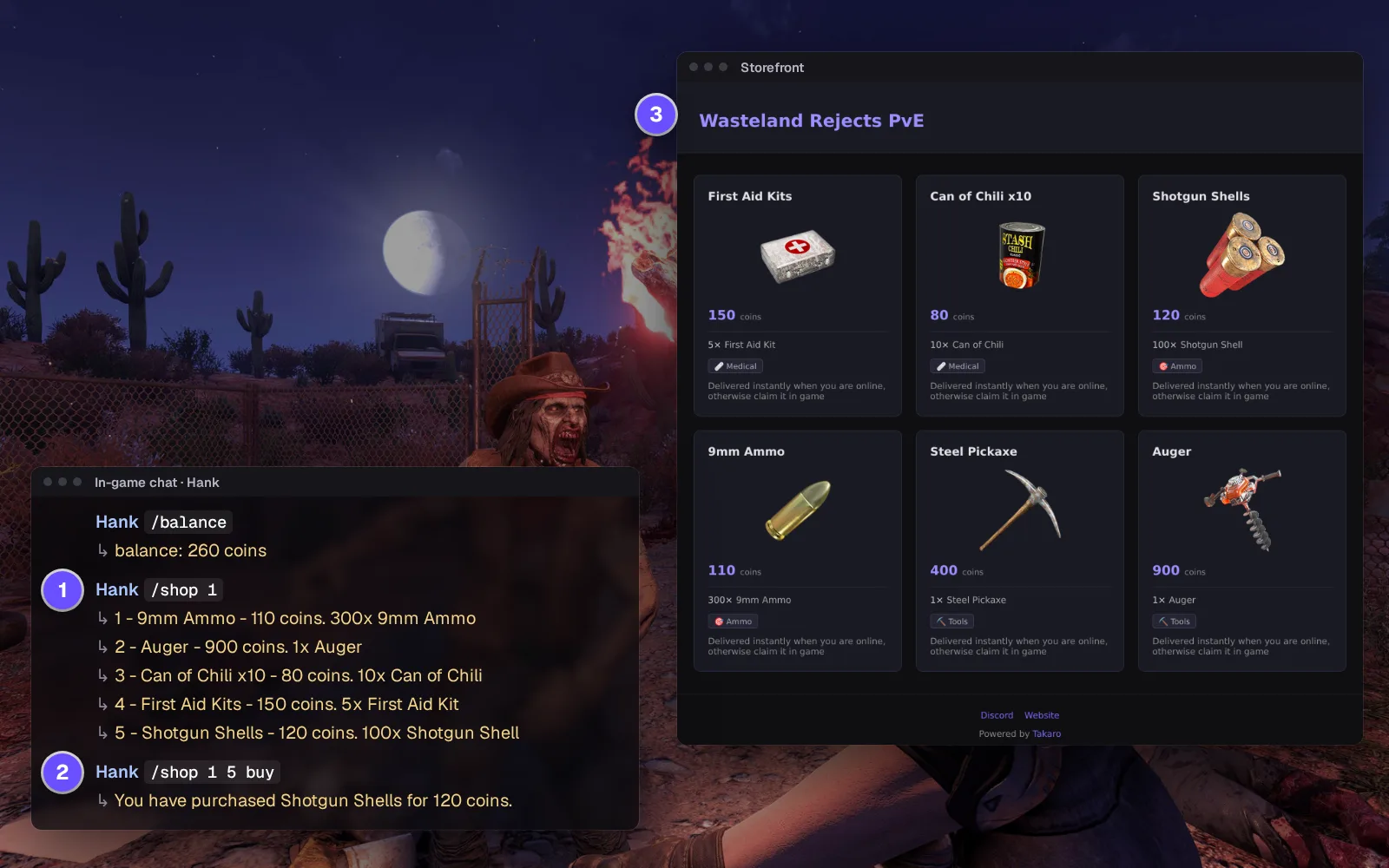
Earn
A currency players earn by playing
Turn the economy on and name your currency. Takaro keeps the balances, per server; modules decide how players earn.
- dailyRewards /daily once a day, more for a longer login streak, bonuses at milestones.
- economyUtils Currency for zombie kills, plus /balance, /transfer, /topcurrency, /shop and /claim.
- lottery Players buy tickets; a daily draw pays the pot to one winner.
- VIPs earn more: give a role a higher daily reward multiplier.
- Reward by hand: won the build contest? Add currency with a reason that shows in the log.
Sell
What you can put in your shop
One listing sells items or runs an action. Add limits, stock, a sale window or a VIP-only listing.
-
Items
Kits by their real names, with quantity and quality. Save a list once as an item set and reuse it.
-
Roles
Sell VIP: the shopActions module gives the buyer the role.
-
Commands and messages
Run a console command or send a message when an order is created or claimed.
-
Costed commands
Put a price on any module command, like /tp. If the player can't pay, it doesn't run.
Your storefront
A webshop with your name on it
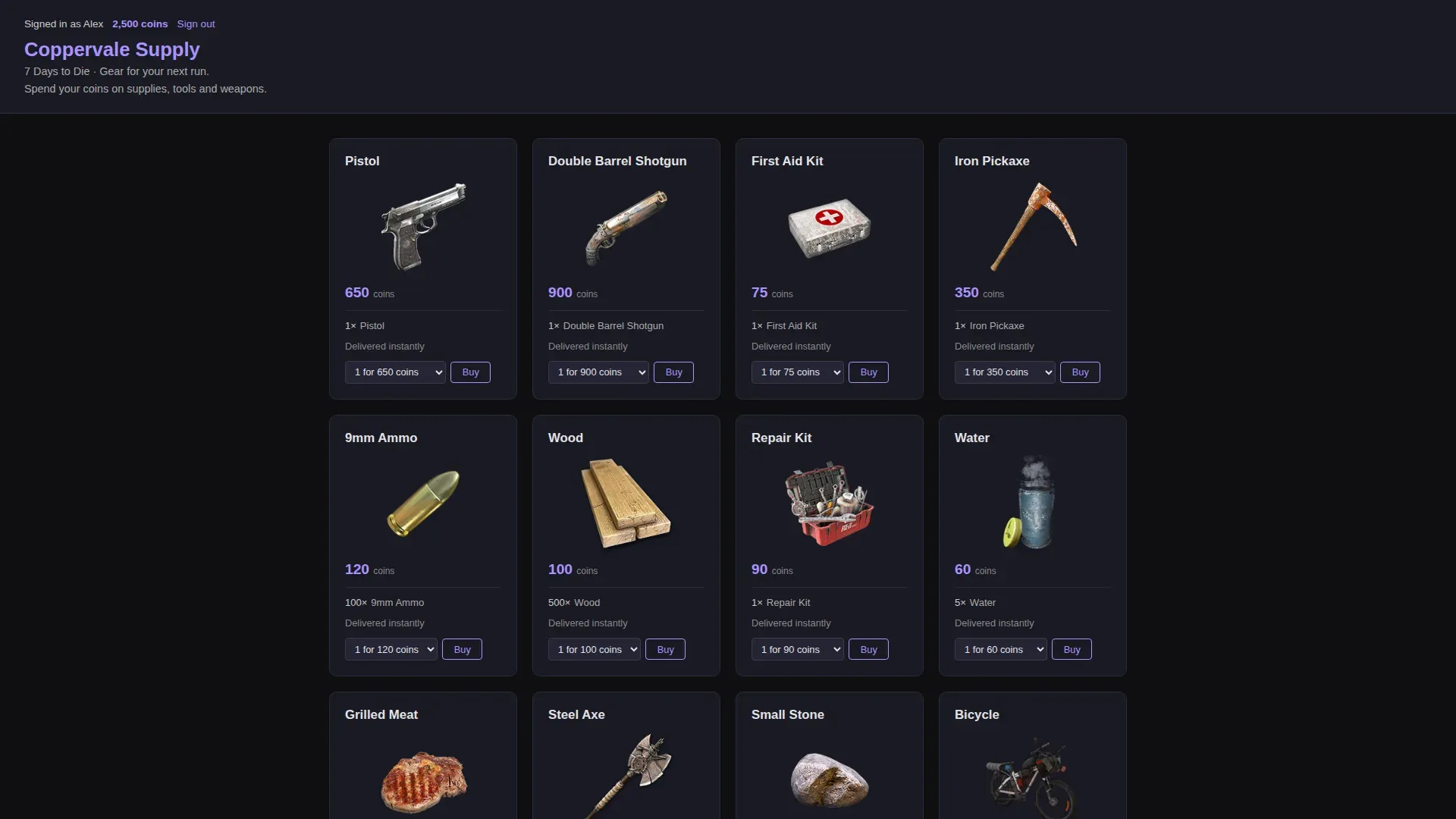
Players open your storefront in a browser, sign in and link their game account (Steam, or /link in game), see their balance and buy. Share the link in your Discord.
- Six templates: Default, Scrapyard, Showroom, Arcade, Hearth and Terminal.
- Your own address: a name of your own, or your own domain like shop.example.com.
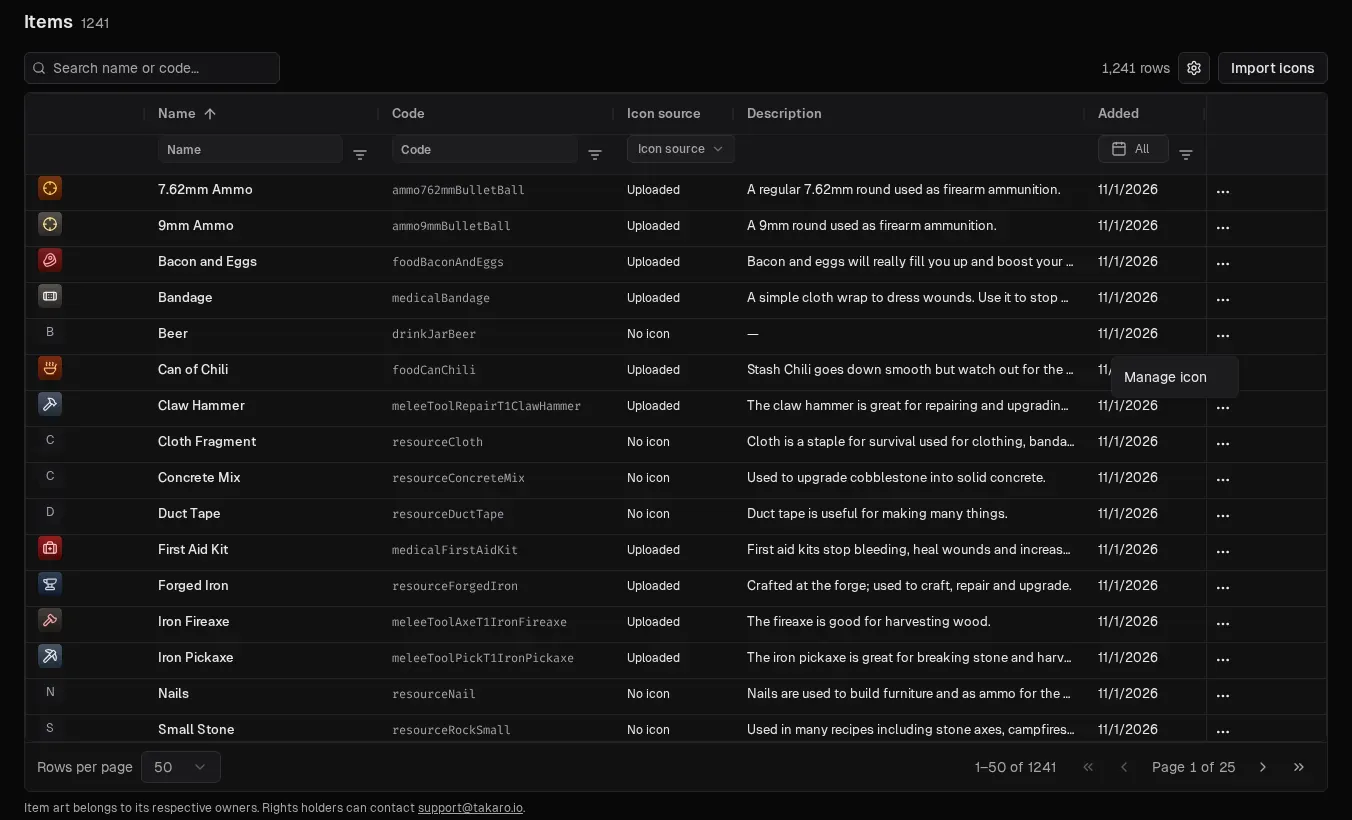
- Your item icons on every card. Upload one, or a zip of them.
- In game too: /shop to browse, /claim to collect.
Fair play
"I paid and got nothing," answered in one look
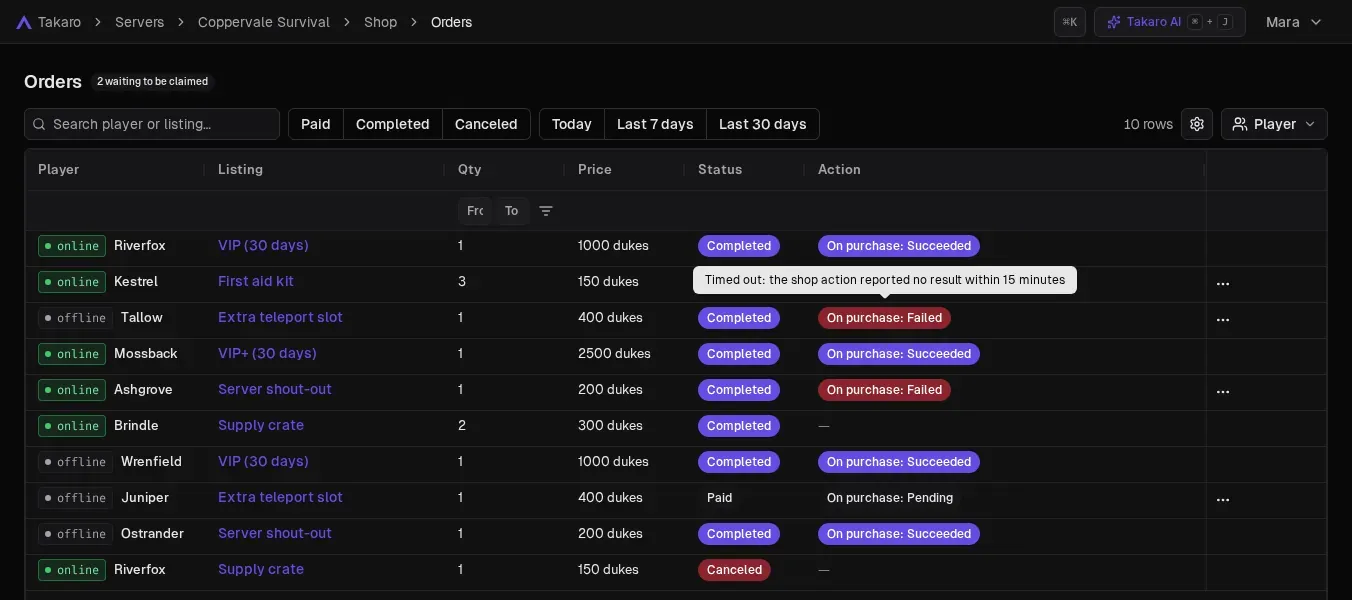
Every order records whether its shop action succeeded, failed or is still pending, so the ticket starts with the facts.
- Failed? Refund it. Cancel a failed order and the player is refunded. No answer in 15 minutes counts as failed.
- Costed commands are fair. Economy off means free, and a command refused before it runs doesn't start the cooldown.
- Prices change? Players know. Keep a listing as a draft while you work, and the shop tells a player when a price changed before they bought.
How to start
Open your shop in three steps
New to Takaro? Create a free account and connect your server first. Running 7 Days to Die? The Economy & Shop Pack in a Blueprint does all three.
- 01
Turn the economy on
Settings → General → Economy, switch on Economy Enabled and name your currency.
- 02
Install the modules
economyUtils for /shop and /claim, dailyRewards so players earn. Modules → Library → Install.
- 03
Create a listing
Shop → Storefront → New Listing: a name, a price and what the player gets. Or ask Takaro AI to set up the shop.
How do I add a shop to my game server?
Turn on the economy in Settings, install the economyUtils module and create listings under Shop, then Storefront. Players buy on your web storefront or in game with /shop. On an empty shop, Set up the shop with Takaro AI creates the first listings for you. See Shop.
Is the currency shared between my servers?
No, each game server has its own balances, so your PvP server can have different prices than your PvE server. You can turn the economy on for every server at once and override it for one. See Economy.
What happens if a player buys something while offline?
With Instant delivery, they get it at purchase if they are online. Otherwise the order waits as Paid and they claim it in game with /claim, or with Claim on the storefront while they are on the server.
A player says "I paid and got nothing". How do I check?
Open Shop, then Orders. The Action column shows whether the listing's shop action succeeded, failed or is still pending; one that reports nothing for 15 minutes counts as failed. A failed order can be cancelled, which refunds the player.
Can I give players currency by hand?
Yes. Select players in a server's Players list and choose Add / Deduct Currency, or use the Economy tab on a profile. Add a reason and it shows in the event log.
Does the shop cost extra?
No. The economy, the shop, the storefront and its templates are on every plan, the free one too. See pricing.
Open your server's shop tonight.
Free for your first server. Currency, shop and storefront included.
Not ready yet? Get the newsletter: new features, modules and tips. No spam.