Enshrouded Server Manager
Enshrouded gives a dedicated server no console at all. Takaro adds one (a plugin inside the game process and a small sidecar beside it), so player positions, inventories, chat and teleports are things you can reach from a browser.
Free tier available. Runs in Docker Compose or on Node.js 22.
Sound familiar?
These are the problems Takaro was built to solve.
There is no console to type into
Enshrouded ships a dedicated server with no command line and no admin console. Out of the box there is no way to say anything to your players at all.
The flame goes out while you are away
A base falls apart or a group gets stuck in the shroud and nothing on the server records it. You hear about it in Discord the next day, if at all.
Every fix means a relog
Someone loses gear to a bug and the only remedy anyone has is to shut the server down, edit something, and bring it back up.
Read the backpack without asking
Inventories match the in-game backpack, so when a player says a bug ate their gear you can confirm it and hand the gear back in the same minute.
See the tracking docs →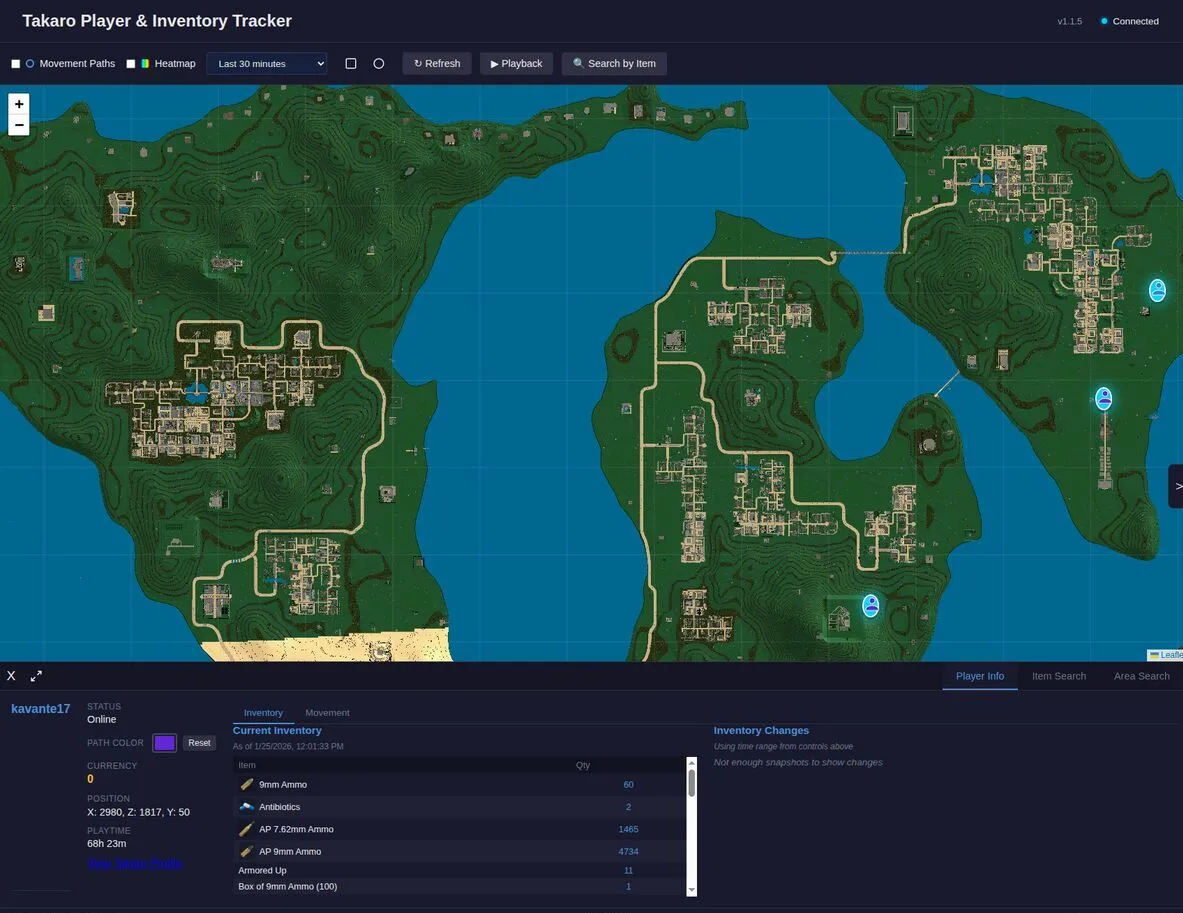
Give Enshrouded the commands it never had
Economy, teleports, welcome messages and scheduled events arrive as modules you toggle on, which is the entire admin surface a vanilla Enshrouded server is missing.
Browse all modules →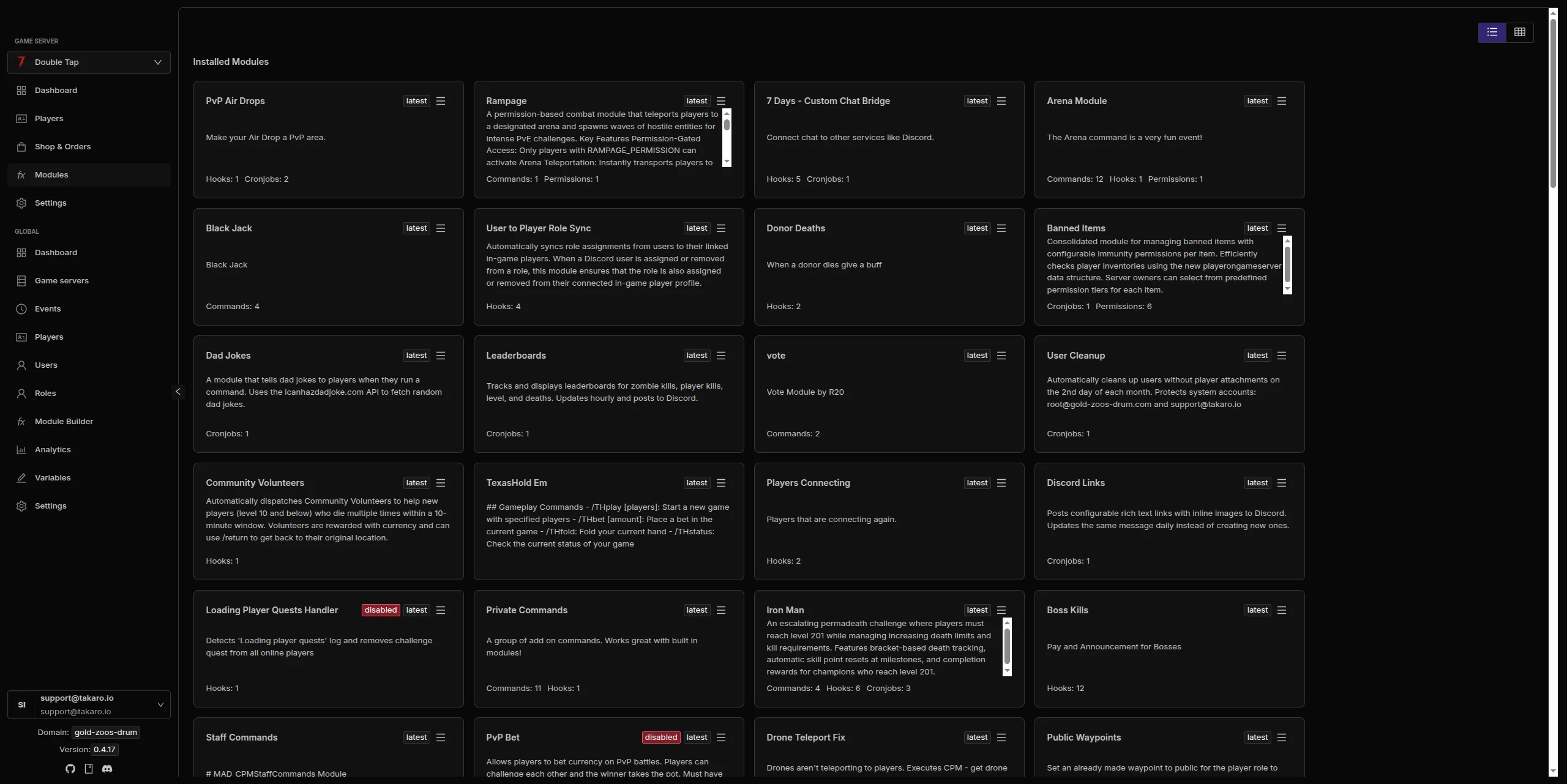
Enshrouded server management features
Every module works out of the box. Install, configure, done.
A console where there was none
The plugin supplies its own command set (players, say, whisper, location, teleport, inventory, give, item, kick and save-and-shutdown) because the game supplies none.
Positions accurate to the metre
Player positions match the in-game position within about 0.2 metres and follow teleports, so the map is telling you where somebody genuinely is.
Item grants that stack correctly
The game ignores a requested count, so the plugin splits a grant into stacks of up to 64 on your behalf. It works for admin-group players too.
Three and a half thousand items
Over 3,600 items and 970 creature templates sync into Takaro, which is what lets a module refer to Enshrouded content by name.
Reconnects after a container restart
The sidecar keeps an outbound WebSocket open and comes back on its own after the game container restarts, reconciling players who were online when it died.
Full REST API
Build your own tools on top of Takaro. Custom dashboards, Discord bots, integrations. Full API access on every plan, including free.
Cross-server management
Run Enshrouded alongside every other game Takaro supports from one dashboard, with player profiles shared across them.
Download the Enshrouded connector
Native connector for an Enshrouded dedicated server: one dbghelp.dll next to the server exe.
Before you start
- Takaro registration token
- File access to the Enshrouded dedicated server folder
Latest release
Next steps
- Install the files your server needs, following the install guide, and restart it once.
- Create the server in the Takaro dashboard and copy its registration token.
- Give the connector the token, restart the server, and it registers itself.
Full Enshrouded install guide →
Previous versions (6)
Connect your Enshrouded server
Two pieces, both server-side: the plugin and the sidecar.
Add your Enshrouded server
Install both the plugin and the sidecar on the server host; the plugin reads the game, the sidecar talks to Takaro, and neither works alone.
Install modules
Browse the module library and toggle on what you need: economy, teleports, moderation.
Manage from anywhere
The dashboard works in any browser. Check activity, adjust settings and moderate from your phone.
Free to start. Upgrade when you grow.
The free tier includes one server with all modules, full API access, and Discord integration. Paid plans start at €7.99/month.
Enshrouded server management FAQ
Why are there two downloads?
Because they do different halves of the job. The plugin alone cannot talk to Takaro, and the sidecar alone cannot read positions, inventories, items or entities. Install both.
Why does chat show a player's name as the sender?
Enshrouded has no "server" sender, so a broadcast goes out under the character name of an online player. It is visible to everyone, it just is not labelled as coming from you.
Can I set a timed ban?
You can request one, but the game has no ban expiry, so it becomes permanent until you unban. Bans also only work on players who are currently online.
Do names match in-game characters?
No. The server exposes Steam persona names rather than in-game character names, so that is what Takaro shows, with the SteamID64 as the game id.
Can I manage multiple Enshrouded servers from one dashboard?
Yes. Add as many servers as your plan allows. The free tier includes one server; paid plans cover two to eight, all from a single dashboard.
Is Takaro a replacement for my server host?
No. Takaro is a management layer on top of the server you already run. You keep your hosting provider; Takaro connects to the server and adds economy, teleports, moderation and analytics.
Can I write custom modules?
Yes. Takaro modules are commands, hooks and cron jobs you can write yourself, and the REST API is open for anything a module cannot reach.
How much does it cost?
The free tier covers one server with every module included. Paid plans start at €7.99/month for two servers. See all plans.
Is Enshrouded support official?
Yes. Takaro builds, tests and releases this connector itself, with versioned releases and a documented install. Bugs go to the connectors repository.
Ready to manage your Enshrouded server?
Install the connector, connect, and start adding features in minutes.