Minecraft Server Manager
Your server runs 15 plugins with 15 config files, and two of them conflict every time you update. Takaro replaces the plugin juggling with one web dashboard. Economy, teleports, moderation, and Discord sync. One mod to install.
Free tier available. Works with Java edition.
Sound familiar?
These are the problems Takaro was built to solve.
20 plugins, 20 configs
Every feature needs a separate plugin with its own config file, permissions setup, and update cycle. Managing dependencies between them is a full-time job.
Plugin conflicts crash servers
Two plugins fighting over the same event handler brings your server down. Players lose progress. You spend hours reading stack traces to find the culprit.
Forge, Paper, Fabric. Pick one.
Each server platform has its own plugin ecosystem. Switch platforms and you start over. Cross-platform management tools barely exist.
Takaro gives you the features you need from a single dashboard. One mod to install, then manage everything from the web.
Try it freeAll your Minecraft servers, one screen
See player counts, server status, and recent activity across all your Minecraft servers. Add new servers in seconds. Switch between them without logging into separate panels.
See all features →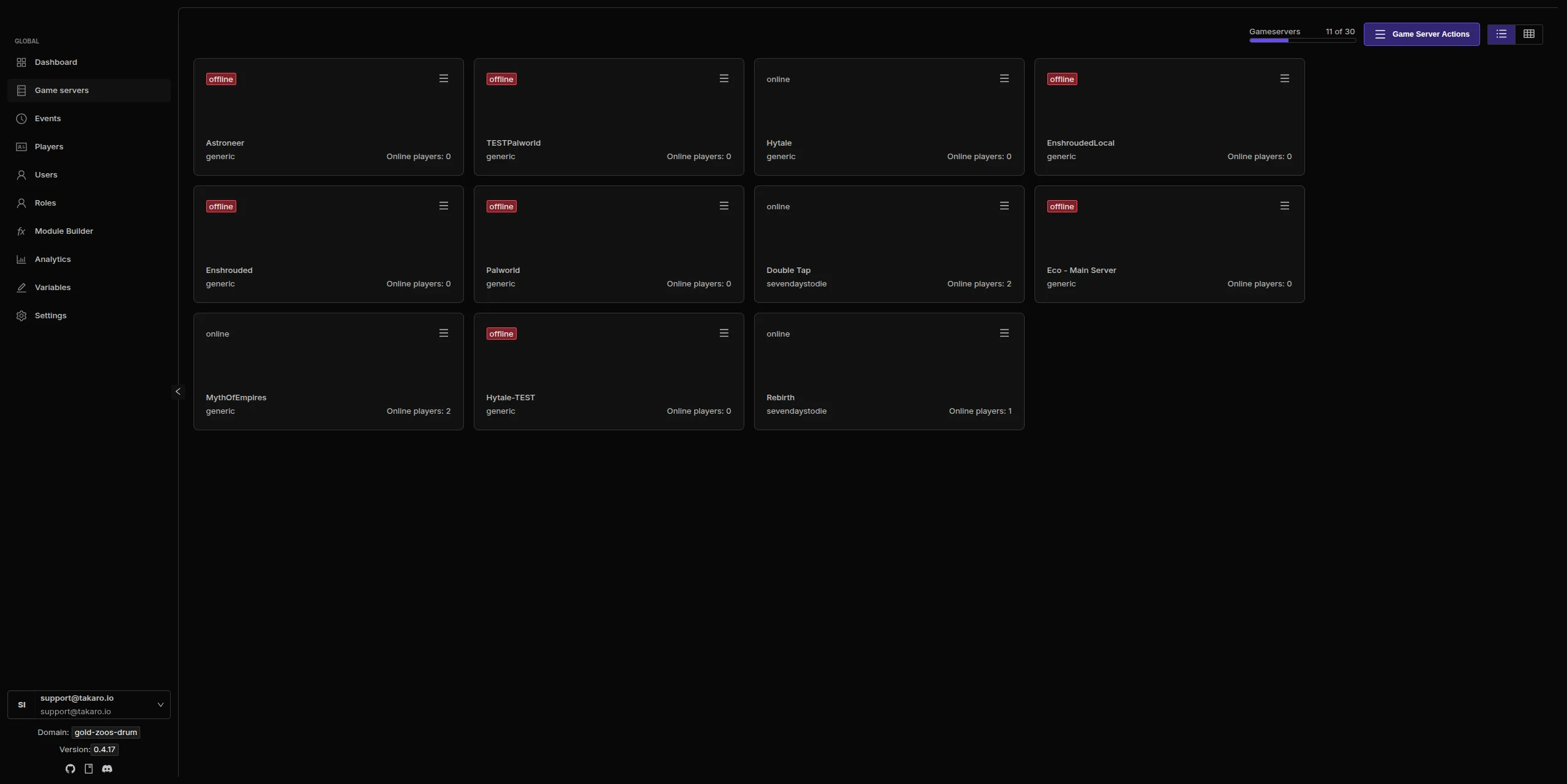
Replace your plugin stack with modules
Economy, teleports, moderation, daily rewards, and chat commands. Toggle what you need from the dashboard. No plugin conflicts, no dependency chains, no config file hunting. Modules are configured and managed from the web.
Browse all modules →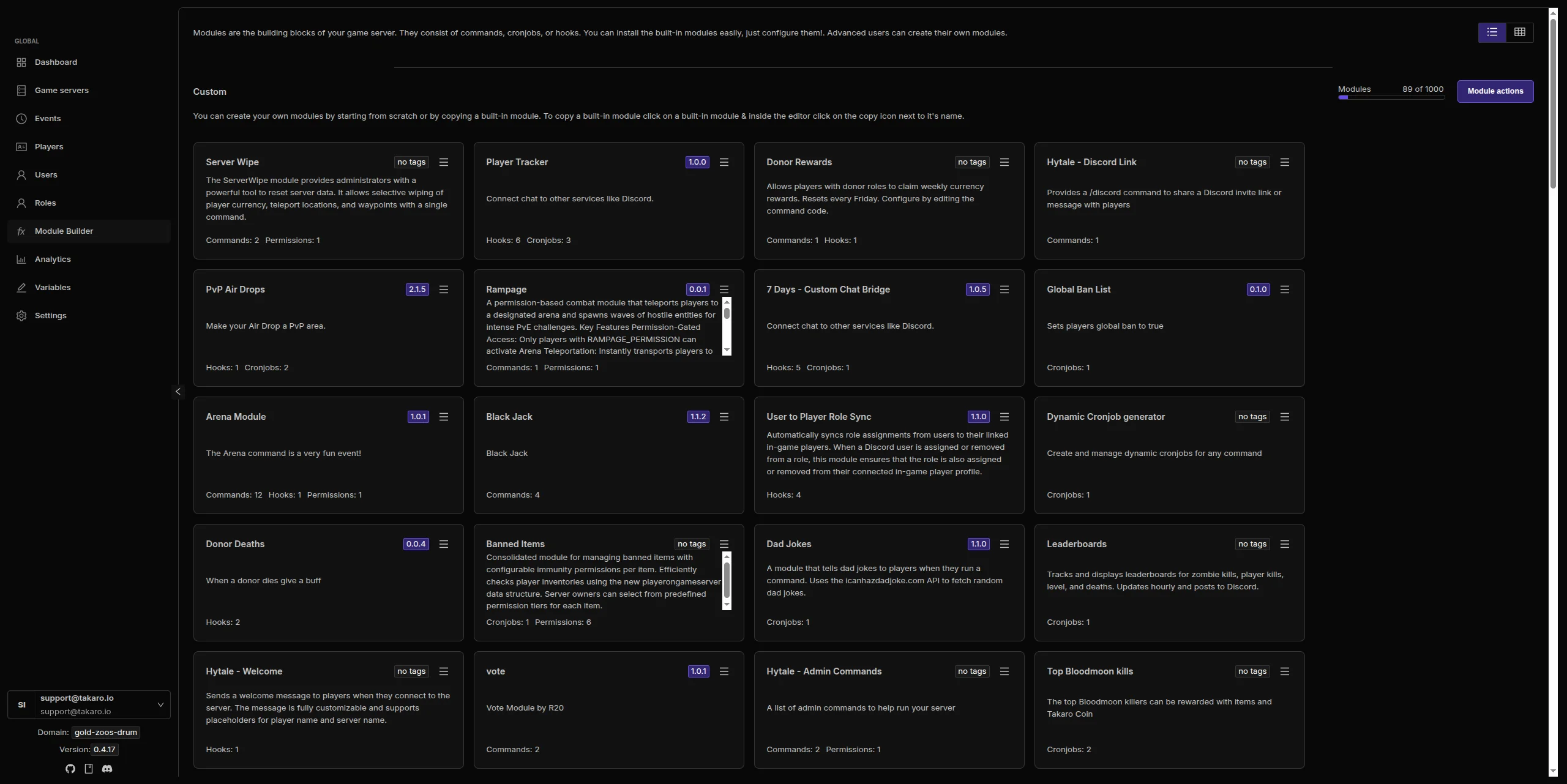
Bridge your server and Discord
Player joins, chat messages, and server events streamed to your Discord channels. Chat bridges both ways. Keep your community connected whether they are in-game or not.
See how Discord integration works →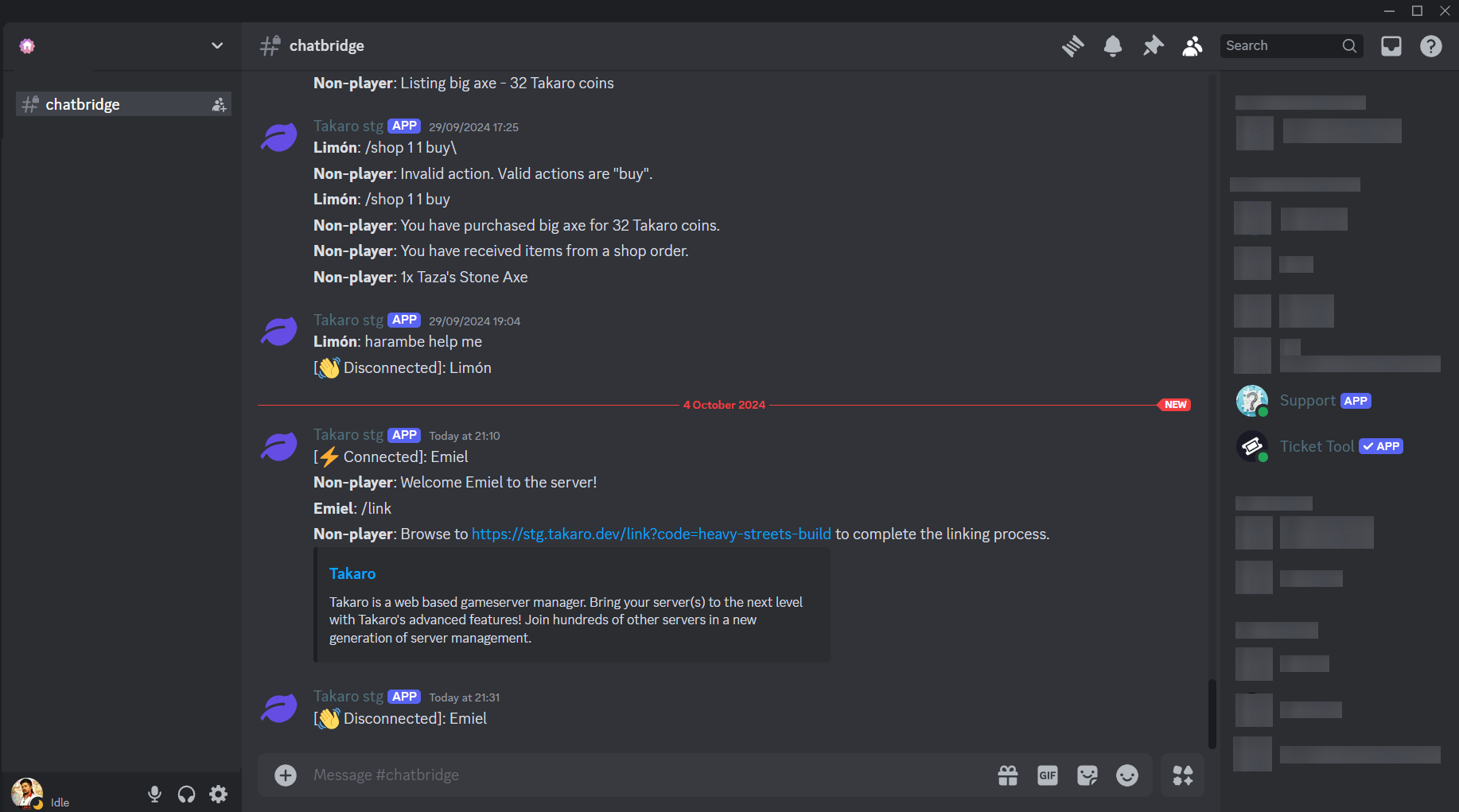
Minecraft server management features
Every module works out of the box. Install, configure, done.
In-Game Economy
Shops, currency, and trading for your players. Kill rewards, daily bonuses, and configurable pricing. No EssentialsX or Vault needed.
Teleport System
Players set homes, teleport to friends, and warp between saved locations. Set cooldowns and costs per teleport. No separate teleport plugin needed.
Player Management
Track who is online, manage permissions, handle bans, and monitor player activity across sessions. One place for everything.
Discord Sync
Bridge your Minecraft server with Discord. Chat sync, player joins, server events, and admin alerts. No separate Discord bot to maintain.
Scheduled Events
Schedule announcements, rewards, server restarts, and custom actions. Runs on a timer so you do not have to be online.
Automated Moderation
Chat filters, AFK kicks, ban management, and rule enforcement. Runs 24/7 without a separate moderation plugin.
Full REST API
Build custom tools, dashboards, and bots on top of Takaro. Full API access on every plan, including free.
Cross-Server Management
Manage Minecraft alongside Rust and 7 Days to Die from one dashboard. Shared player profiles across games.
Connect your Minecraft server in minutes
Install one lightweight mod, connect, and you are ready.
Create your account
Sign up at dashboard.takaro.io. Free tier available.
Install the Takaro mod
Add the Takaro mod to your Minecraft server. It is a small mod that creates the connection between your server and the dashboard.
Connect in the dashboard
Add your server details and connection token. Takaro links up in seconds.
Install modules
Browse 71+ modules and toggle what you need. Economy, teleports, moderation. All configured from the web.
Free to start. Upgrade when you grow.
The free tier includes one server with all modules, full API access, and Discord integration. Paid plans start at €7.99/month.
Minecraft server management FAQ
How do I connect my Minecraft server to Takaro?
Install the Takaro mod on your Minecraft server, then add your server details and connection token in the Takaro dashboard. Full setup instructions are in the docs.
Does Takaro work with Paper/Spigot/Fabric?
Yes. Takaro connects at the server level through its mod. It works with Paper, Spigot, Fabric, Forge, and other Minecraft server platforms.
Can I use Takaro alongside other plugins?
Yes. Takaro runs through its own mod and does not conflict with other plugins. You can use it alongside your existing plugin setup or replace plugins with Takaro modules as you see fit.
Does Takaro support Bedrock?
Takaro currently supports Java edition Minecraft servers. Bedrock support is on the roadmap.
Can I manage multiple Minecraft servers?
Yes. Add as many servers as your plan allows. Free tier includes one server. Paid plans support up to 8.
Can Takaro replace my plugin stack?
For many common features like economy, teleports, and moderation, yes. Takaro modules cover the same functionality without plugin conflicts or dependency chains. You can transition gradually.
Is Takaro a replacement for my server host?
No. Takaro adds management features on top of your existing server. Keep your hosting provider. Takaro connects and adds economy, teleports, and analytics.
Can I write custom modules?
Yes. Takaro supports custom modules with hooks, commands, and cron jobs. You can also build on top of the REST API.
How much does it cost?
Free tier covers one server with all modules. Paid plans start at €7.99/month. See all plans.
Ready to manage your Minecraft server?
Install one mod, connect, and start adding features in minutes.