SCUM Server Manager
SCUM's dedicated server is a Windows program with a handful of admin commands, and their output goes to an admin's in-game chat. Takaro's connector is one mod folder inside the server that puts players, inventories, bans and a map in a web dashboard.
Free tier available. Windows dedicated servers (Steam app 3792580).
Sound familiar?
These are the problems Takaro was built to solve.
Gone before you can act
The player who caused the trouble has logged off by the time anyone reads the report. Without a ban that works offline, they are back tomorrow as if nothing happened.
Anti-cheat in the way
A server mod has to survive BattlEye being on, not just off. A tool that only works with protection disabled is a tool you cannot use on a real server.
A big loot economy with no ledger
Thousands of items and nothing tracking who holds what or what they paid. Without a shared balance, a shop is just an admin handing things out.
Players on the island map
Player dots on the Takaro map line up with the in-game map. The server files hold no map picture, so you upload The Island image once.
See the tracking docs →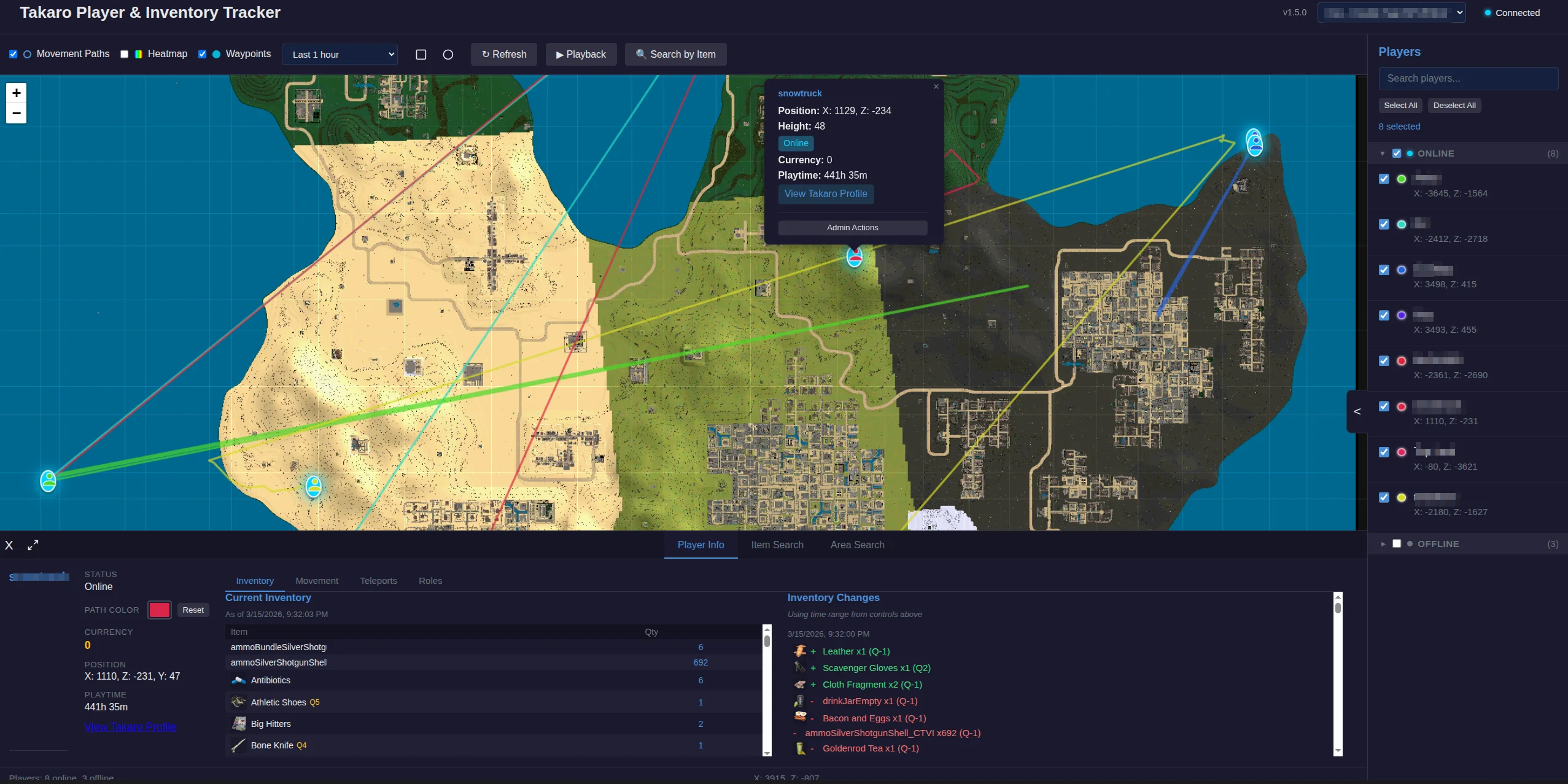
Buy in chat, claim in game
Balances, a shop and orders work from chat, including orders bought while the player was offline. Bought items usually land in pockets or the backpack; when SCUM refuses the pickup they drop at the player's feet.
See all features →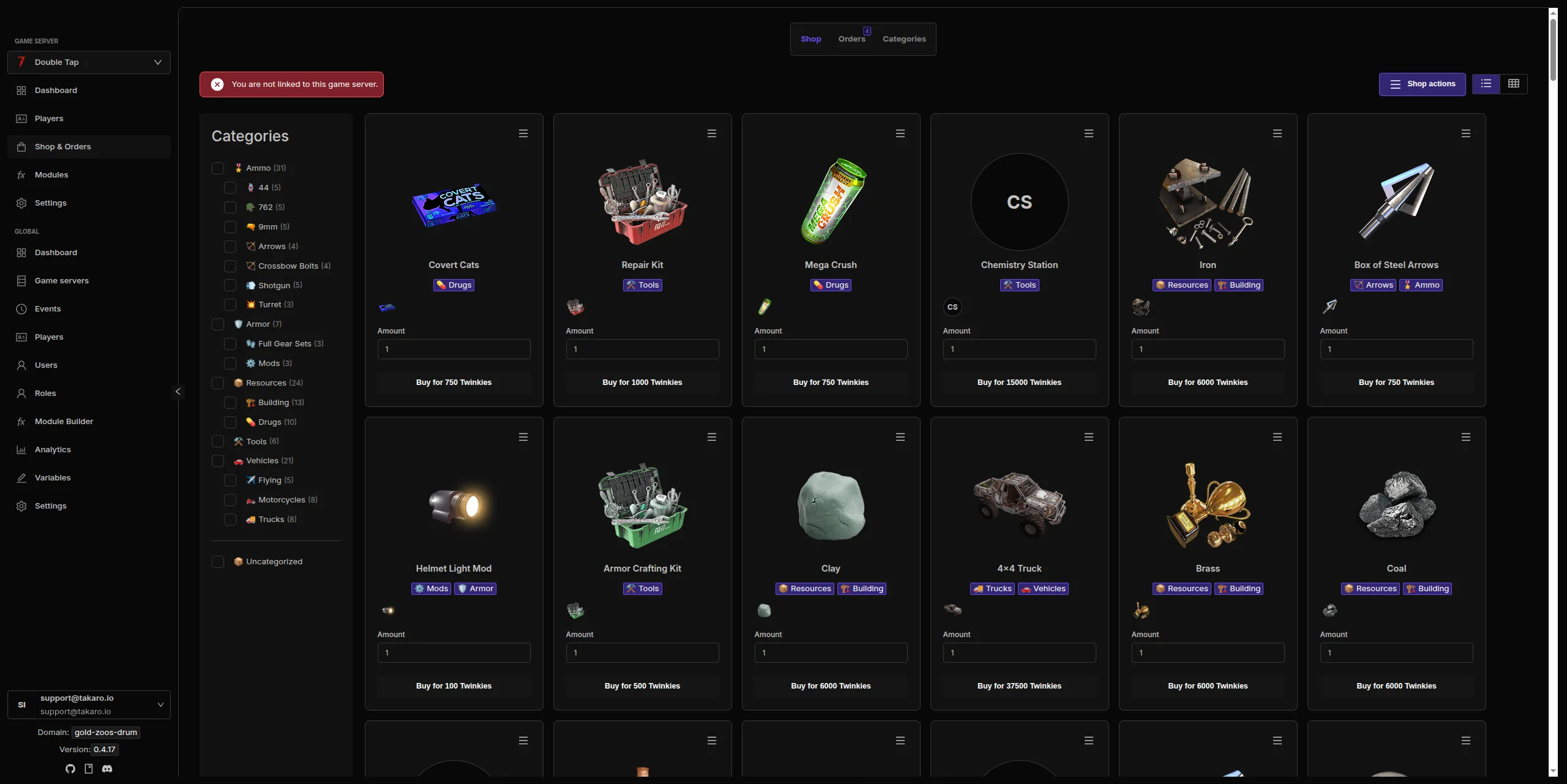
SCUM server management features
Every module works out of the box. Install, configure, done.
One mod, no sidecar
The connector is a UE4SS mod inside the server. It connects to Takaro by itself and reconnects after a restart or a network drop.
Full inventories
Worn clothes, items in hands, the holster and backpack contents, with stack sizes and durability. Rounds loaded in a weapon or magazine are not listed.
Bans before the character loads
Bans work on offline players and for a limited time, and a banned player is refused within a second of rejoining. Existing entries from BannedUsers.ini are respected.
A command allowlist
Takaro may run only the console commands you list, and shutting the server down is off until you turn it on in the config.
Creature kills
Player kills of zombies, animals and NPCs arrive with the creature and weapon names. Zombie and NPC names come from internal codes.
Full REST API
Build your own tools on top of Takaro. Custom dashboards, Discord bots, integrations. Full API access on every plan, including free.
Cross-server management
Run SCUM alongside every other game Takaro supports from one dashboard, with player profiles shared across them.
Download the SCUM connector
Native connector for SCUM dedicated servers: one UE4SS mod inside SCUMServer.exe that connects to Takaro itself, no sidecar.
Before you start
- SCUM Windows dedicated server (Steam app 3792580) build named in the release
- File access to the server's SCUM\Binaries\Win64 folder
- Takaro registration token
Latest release
Next steps
- Install the files your server needs, following the install guide, and restart it once.
- Create the server in the Takaro dashboard and copy its registration token.
- Give the connector the token, restart the server, and it registers itself.
Free to start. Upgrade when you grow.
The free tier includes one server with all modules, full API access, and Discord integration. Paid plans start at €7.99/month.
SCUM server management FAQ
Does this work on a Linux SCUM server?
No. The connector targets the Windows dedicated server, Steam app 3792580, and is tested against the build named in each release.
Does it work with BattlEye?
Yes. It was tested with BattlEye both off and on, with players using BattlEye.
Does it find named locations?
No. SCUM has no list of named places, so there are no locations to import.
What happens after a SCUM update?
Wait for a connector release that names the new game version. The connector is tied to the server build it was tested on.
Is death attribution complete?
Deaths are detected within a second with a position. Deaths by zombies, animals, falls or bleeding have no killer, and the killer's name for player kills is not tested yet.
Can I manage multiple SCUM servers from one dashboard?
Yes. Add as many servers as your plan allows. The free tier includes one server; paid plans cover two to eight, all from a single dashboard.
Is Takaro a replacement for my server host?
No. Takaro is a management layer on top of the server you already run. You keep your hosting provider; Takaro connects to the server and adds economy, teleports, moderation and analytics.
Can I write custom modules?
Yes. Takaro modules are commands, hooks and cron jobs you can write yourself, and the REST API is open for anything a module cannot reach.
How much does it cost?
The free tier covers one server with every module included. Paid plans start at €7.99/month for two servers. See all plans.
Is SCUM support official?
Yes. Takaro builds, tests and releases this connector itself, with versioned releases and a documented install. Bugs go to the connectors repository.
Ready to manage your SCUM server?
Install the connector, connect, and start adding features in minutes.