Project Zomboid Server Manager
A Zomboid save is months of survival that one bad night can end. Takaro attaches a Java agent to your Build 42 dedicated server and puts live inventories, chat, teleports and bans in a browser tab. No Workshop item, nothing for survivors to install.
Free tier available. Build 42 dedicated servers, Linux or Windows.
Sound familiar?
These are the problems Takaro was built to solve.
One death undoes six months
A survivor loses a character built over months to a bug, a desync or a griefer, and the only thing you can offer them is sympathy.
Loot disputes with no evidence
Two players both say the generator was theirs. Zomboid keeps no record you can read, so every argument comes down to who complains loudest.
Admin means being in the game
To answer a question you have to log in, find your character, and hope nothing eats it while you are typing in the admin panel.
See exactly what a survivor is carrying
Inventories come back item by item with condition included, so a claim about a lost generator or a stolen rifle is something you can check instead of arbitrate.
See the tracking docs →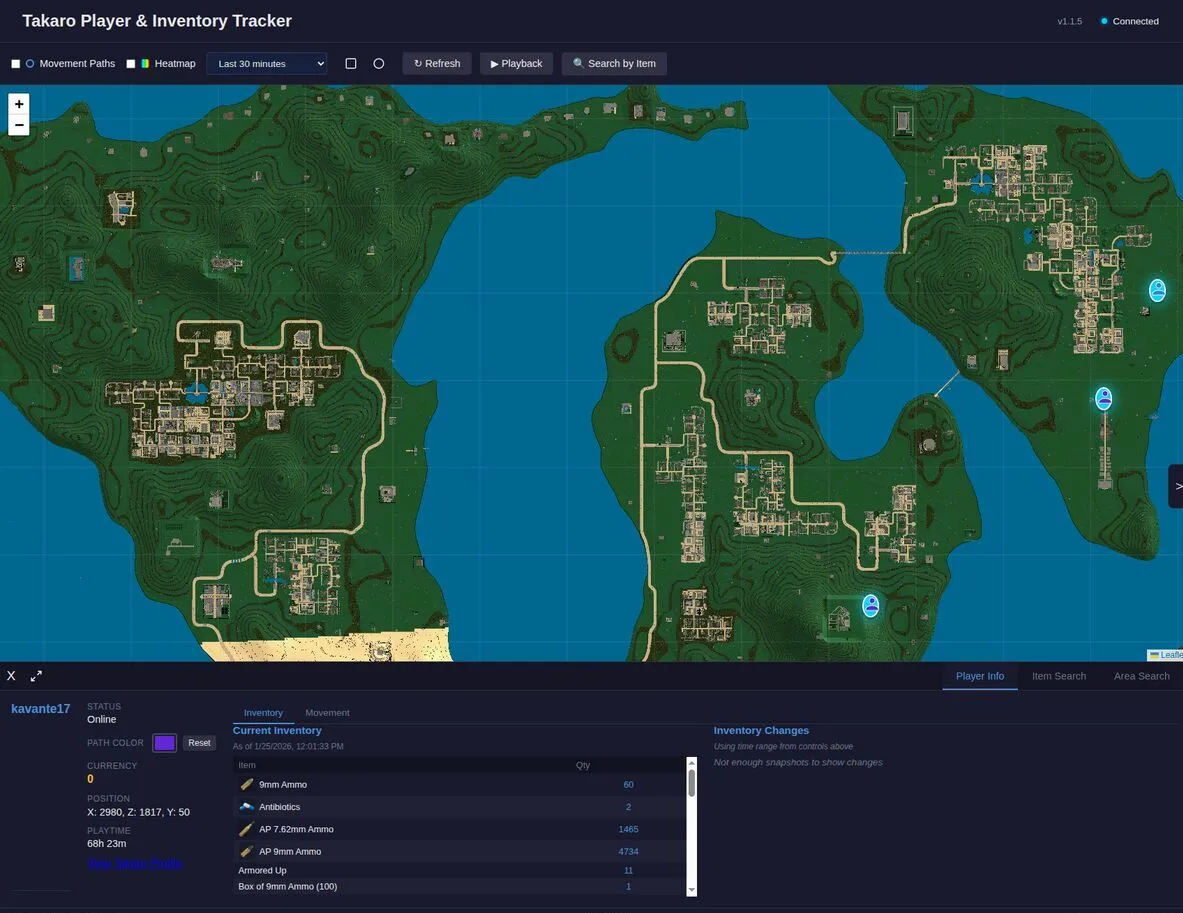
Follow survivors across Knox County
Live X, Y and Z for every connected player, updating as they move and following teleports, so you can see who is holed up where without loading the game.
See all features →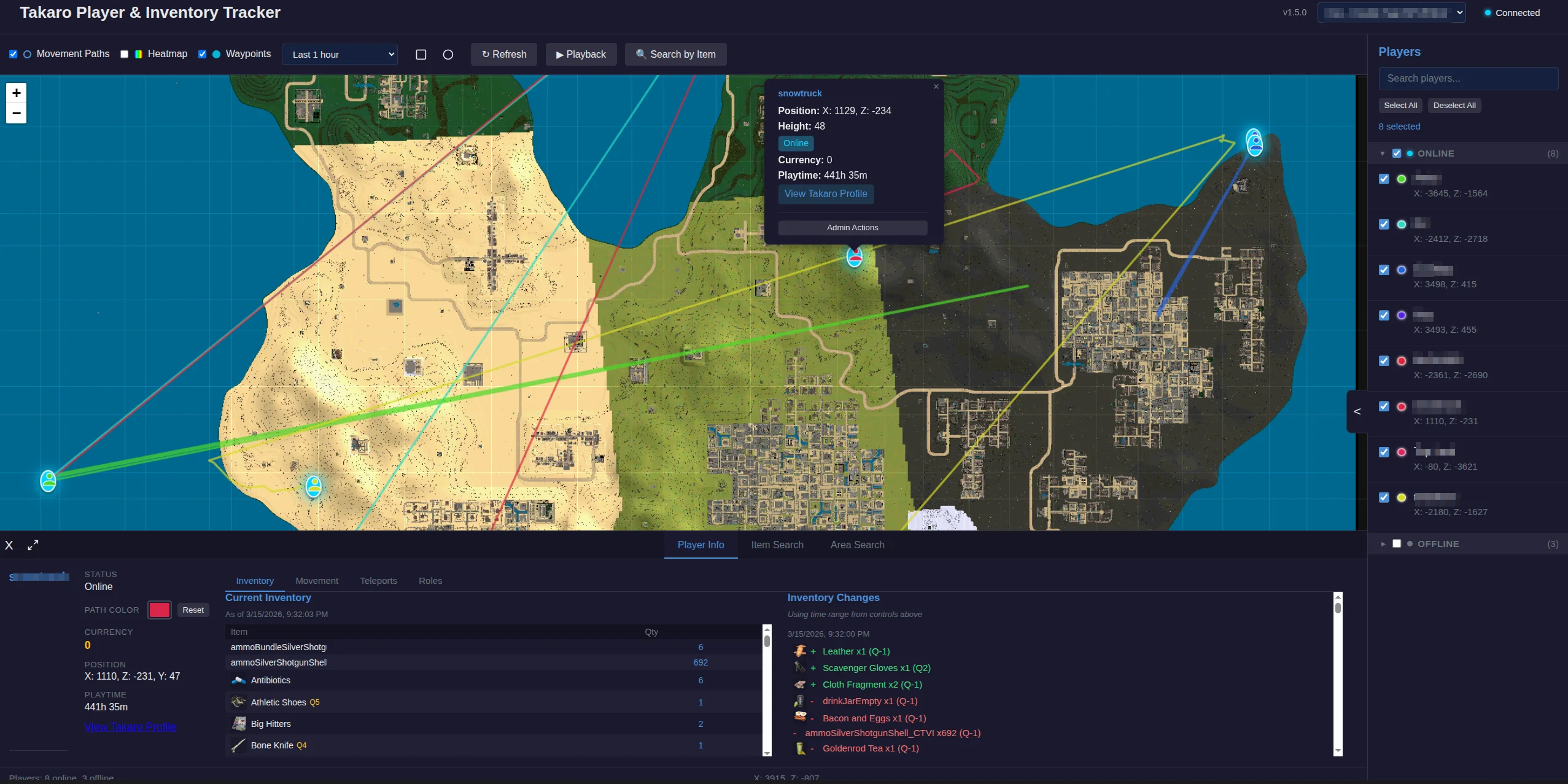
Project Zomboid server management features
Every module works out of the box. Install, configure, done.
Chat that goes both ways
Player chat reaches Takaro with the survivor and channel attached, and a broadcast or a whisper from the dashboard lands in the right chat window in game.
Hand out items without a relog
An item given from the dashboard appears in the survivor's inventory immediately, which makes restitution after a bug something you do in a second.
Bans with real expiry
Timed bans land on the game server with their expiry and lift themselves when they run out. The ban list shows bans made outside Takaro too.
Five thousand items, catalogued
Over five thousand Build 42 items and two hundred entities sync into Takaro, so modules reference real items and zombies rather than guessing at ids.
Console output you can read
Commands run from the dashboard return their output and their success or failure, including the error text when a command does not exist.
Full REST API
Build your own tools on top of Takaro. Custom dashboards, Discord bots, integrations. Full API access on every plan, including free.
Cross-server management
Run Project Zomboid alongside every other game Takaro supports from one dashboard, with player profiles shared across them.
Download the Project Zomboid connector
Java agent that connects a Project Zomboid Build 42 dedicated server to Takaro.
Before you start
- Project Zomboid Build 42 dedicated server
- Ability to set JAVA_TOOL_OPTIONS or edit vmArgs
- Takaro registration token
Latest release
Next steps
- Install the files your server needs, following the install guide, and restart it once.
- Create the server in the Takaro dashboard and copy its registration token.
- Give the connector the token, restart the server, and it registers itself.
Full Project Zomboid install guide →
Previous versions (7)
Connect your Project Zomboid server
One jar on the java agent line, then a restart.
Add your Project Zomboid server
Put the Takaro agent jar on the server host and add it to JAVA_TOOL_OPTIONS, then restart the server once with your registration token set.
Install modules
Browse the module library and toggle on what you need: economy, teleports, moderation.
Manage from anywhere
The dashboard works in any browser. Check activity, adjust settings and moderate from your phone.
Free to start. Upgrade when you grow.
The free tier includes one server with all modules, full API access, and Discord integration. Paid plans start at €7.99/month.
Project Zomboid server management FAQ
Does this work on Build 41?
No. The agent targets Build 42 dedicated servers and is live-tested against them. A Build 41 server needs to be upgraded before it can connect.
Is there a Workshop item my players need?
No. The connector is a Java agent that attaches to the dedicated server process. Survivors join with an unmodified client and there is nothing to subscribe to.
Can Takaro list safehouses?
Partly. Build 42 has no named-location registry, so Takaro can list player-claimed safehouses and nothing else; a world with no safehouses shows an empty list.
How fast does a teleport show up?
The survivor moves immediately, but the new position can take around fifteen seconds to be reported back to the dashboard.
Can I manage multiple Project Zomboid servers from one dashboard?
Yes. Add as many servers as your plan allows. The free tier includes one server; paid plans cover two to eight, all from a single dashboard.
Is Takaro a replacement for my server host?
No. Takaro is a management layer on top of the server you already run. You keep your hosting provider; Takaro connects to the server and adds economy, teleports, moderation and analytics.
Can I write custom modules?
Yes. Takaro modules are commands, hooks and cron jobs you can write yourself, and the REST API is open for anything a module cannot reach.
How much does it cost?
The free tier covers one server with every module included. Paid plans start at €7.99/month for two servers. See all plans.
Is Project Zomboid support official?
Yes. Takaro builds, tests and releases this connector itself, with versioned releases and a documented install. Bugs go to the connectors repository.
Ready to manage your Project Zomboid server?
Install the connector, connect, and start adding features in minutes.