7 Days to Die Server Manager
Your players want economy and teleports. Blood moon nights crash your server and nobody notices until morning. Takaro is the 7D2D server manager that gives you all of this from one web dashboard, with built-in CSMM migration for anyone switching over.
Free tier available. CSMM migration tool included.
Sound familiar?
These are the problems Takaro was built to solve.
Server admin means alt-tabbing all night
You are managing your 7D2D server through console commands, config files, and browser tabs. No single dashboard to see everything at once.
Blood moon crashes at 3am
Your server goes down during horde night and nobody knows until players start complaining. No alerts, no auto-recovery, no logs to review.
No built-in economy
Players want shops, currency, and rewards but 7 Days to Die has nothing built in. Building it yourself means scripting from scratch.
Takaro handles all of this from a single dashboard. Plus a migration path from CSMM.
Try it freeYour 7D2D server at a glance
See who is online, track recent events, and monitor server health from one screen. Live chat feed, player list, and module activity all in one place. No more switching between tools.
See all features →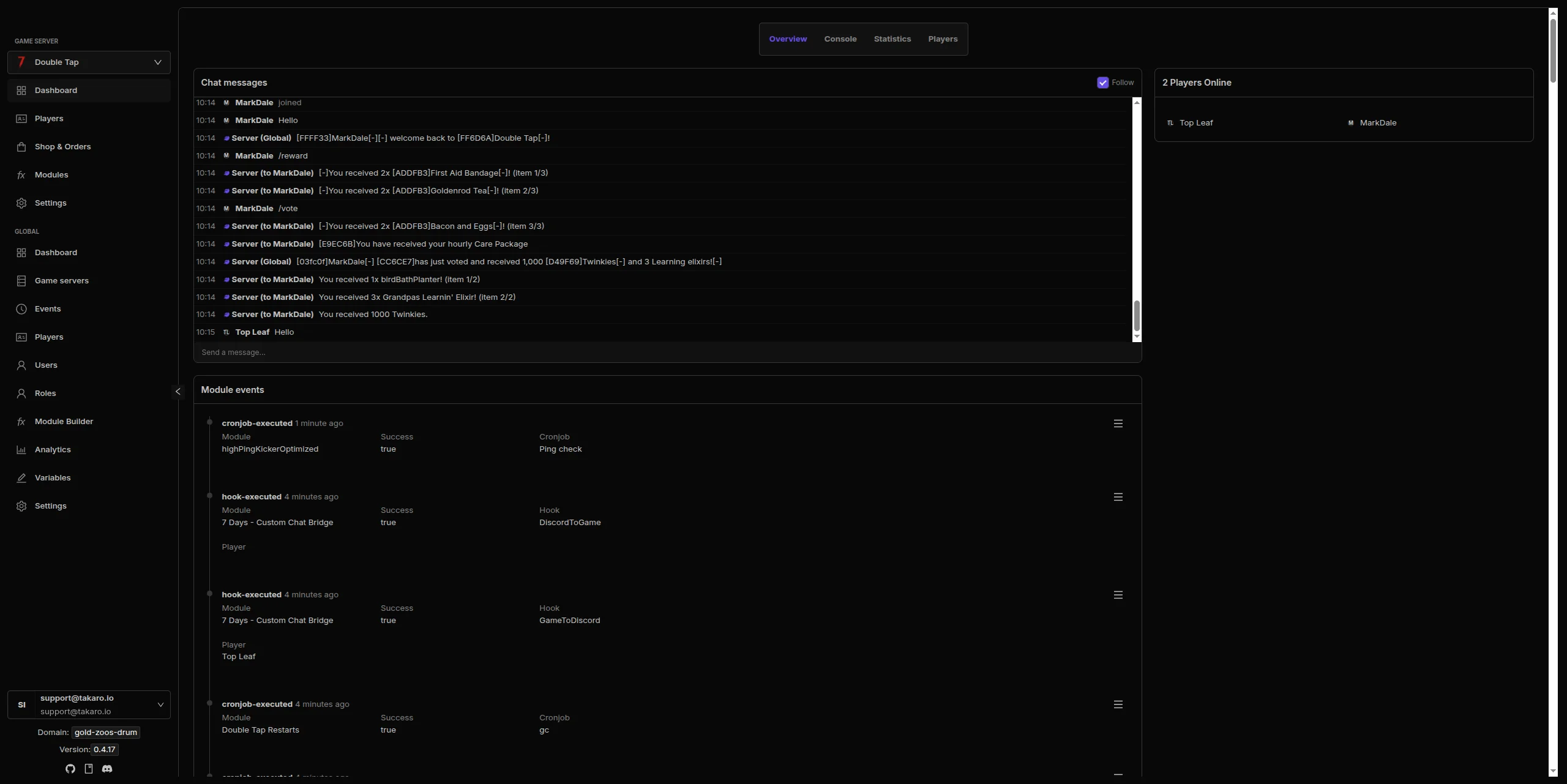
Install what you need, skip what you don't
Economy systems, teleports, automated events, daily rewards, chat commands, and more. Browse the module library, toggle what you want, configure it, done. No coding required. No server restarts.
Browse all modules →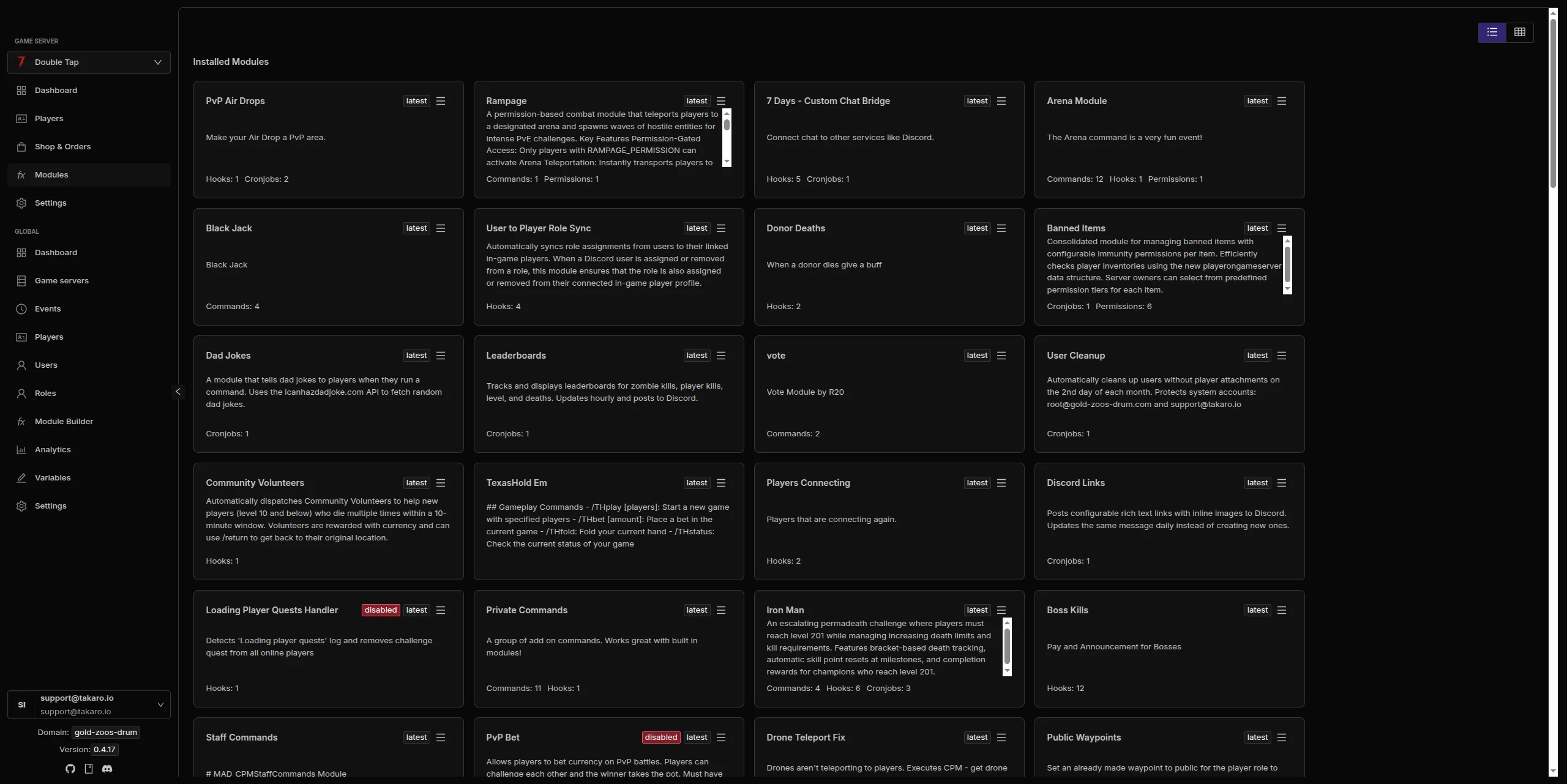
Know your community
Track playtime, activity patterns, and player behavior across sessions. Identify your most active players, spot potential issues early, and understand how your community plays. Data persists across server resets.
Learn about Discord sync →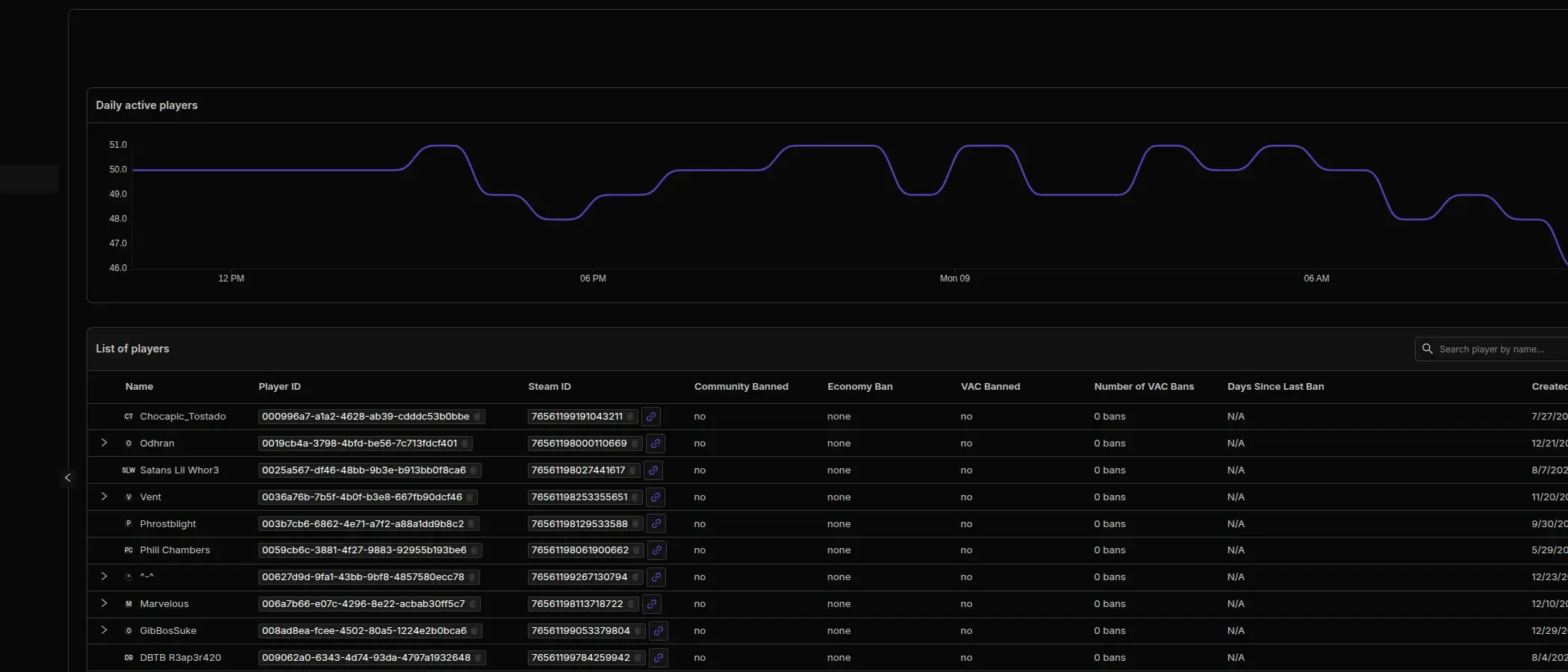
Track players, items, and movement in real time
See every player's position on an interactive map with updates every 30 seconds. View full inventories with color-coded change history. Replay movement paths at up to 10x speed over time ranges from 30 seconds to 7 days. Activity heatmaps highlight where your players spend their time.
See the tracking docs →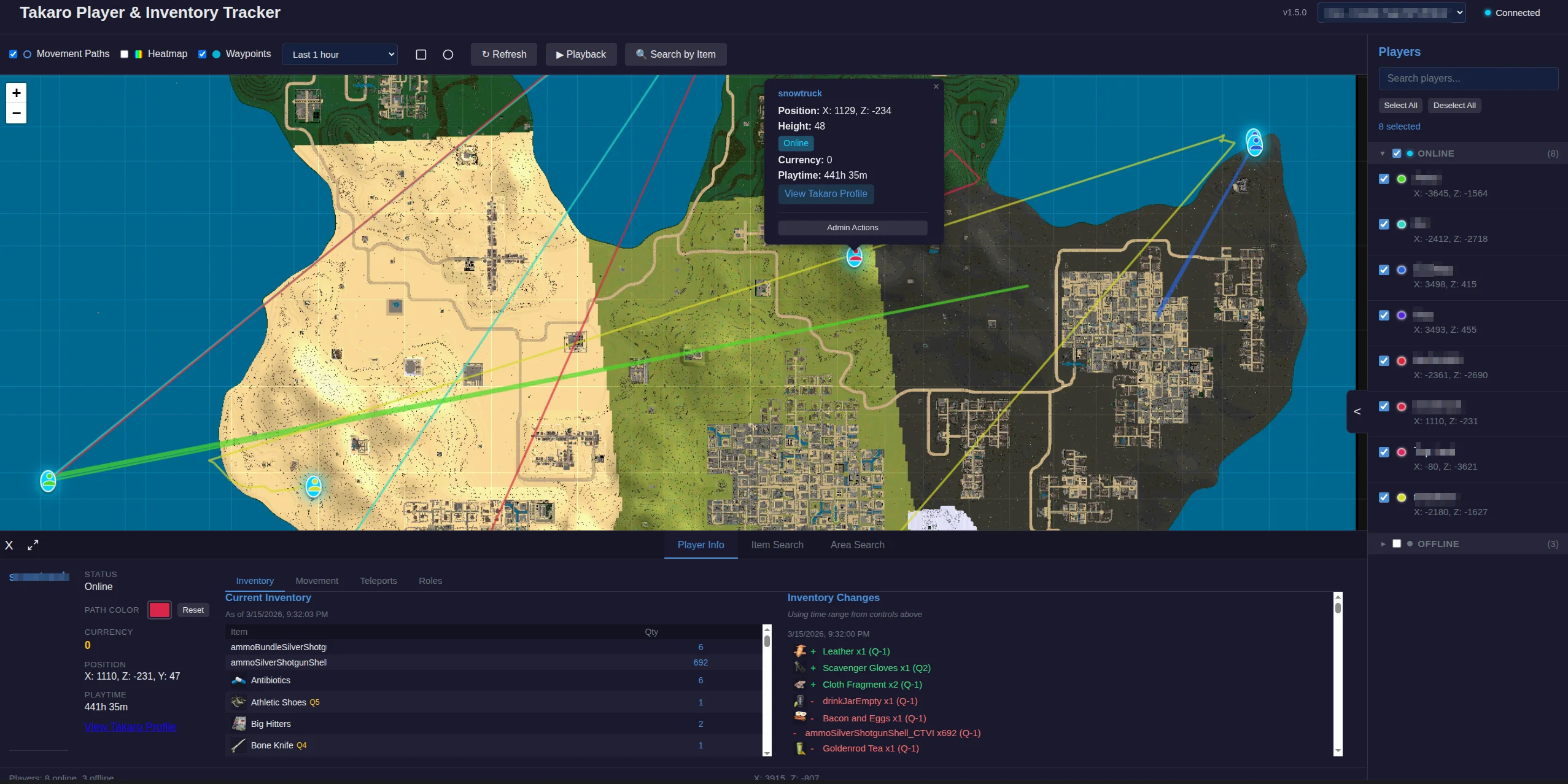
7 Days to Die server management features
Every module works out of the box. Install, configure, done.
In-Game Economy
Shops, currency, kill rewards, and daily login bonuses. Give your survivors a reason to keep logging in. Configurable pricing and transaction history.
Teleport System
Players set homes, teleport to friends, and warp between locations. Configurable cooldowns and costs per teleport.
Scheduled Events
Schedule server restarts, horde events, loot drops, and custom announcements. Set it and forget it. Runs on your schedule.
Discord Sync
Player joins, deaths, chat messages, and server events streamed to your Discord. Keep your community connected even when they are not in-game.
Player Insights
Track playtime, kills, deaths, and activity patterns. Spot your most active players and detect troublemakers before they cause damage.
Player & Inventory Tracking
Real-time player positions on interactive maps, full inventory with change history, movement path playback, and activity heatmaps. See exactly what is happening on your server.
Automated Moderation
Chat filters, AFK kicks, ban management, and rule enforcement. Runs 24/7 so you can sleep during horde night.
Full REST API
Build your own tools on top of Takaro. Custom dashboards, bots, integrations. Full API access on every plan, including free.
Connect your 7D2D server in minutes
No complicated setup. No server-side installs.
Create your account
Sign up at dashboard.takaro.io. Free tier available.
Add your 7D2D server
Enter your server IP and web API credentials. Takaro connects in seconds through the 7D2D server API.
Install modules
Browse 71+ modules and toggle what you need. Economy, teleports, events, moderation. All ready to go.
Manage from anywhere
Your dashboard works from any browser. Monitor horde nights, check player activity, and moderate from your phone.
Free to start. Upgrade when you grow.
The free tier includes one server with all modules, full API access, and Discord integration. Paid plans start at €7.99/month.
7 Days to Die server management FAQ
How do I connect my 7D2D server to Takaro?
Enter your server IP and web API credentials in the Takaro dashboard. Takaro connects through the 7D2D server API. No mods to install.
Can I migrate from CSMM?
Yes. Export your CSMM data as JSON, then import it in Takaro. Most data carries over, though some CSMM-specific hooks and commands need to be recreated as Takaro modules. Full migration guide.
Does Takaro work with modded 7D2D servers?
Yes. Takaro connects through the server API, so it works with any mods you have installed. No conflicts.
Can I manage multiple 7D2D servers?
Yes. Add as many servers as your plan allows. Free tier includes one server. Paid plans support up to 8 servers.
Does Takaro work with Darkness Falls?
Yes. Takaro connects through the 7D2D server API regardless of which overhaul mod you are running. Darkness Falls, Undead Legacy, and other overhaul mods all work.
Can Takaro manage horde night events?
Takaro can schedule announcements, rewards, and automated actions around horde nights. Use the cron system to trigger events at specific game times or on specific days.
Is Takaro a replacement for my server host?
No. Takaro is a management layer on top of your existing server. You keep your hosting provider. Takaro adds economy, teleports, moderation, and analytics.
Can I write custom modules?
Yes. Takaro supports custom modules with hooks, commands, and cron jobs. You can also build on top of the REST API for deeper integrations.
How much does it cost?
Free tier covers one server with all modules. Paid plans start at €7.99/month. See all plans.
Ready to manage your 7D2D server?
Connect your server and start adding features in minutes.