
VEIN Server Manager
VEIN is early access and its Linux dedicated server ships about as much admin tooling as you would expect. Takaro's plugin and sidecar give it a player list, live bags, teleports and a ban system that works on people who are not even connected.
Free tier available. Linux dedicated servers (Steam app 2131400).
Sound familiar?
These are the problems Takaro was built to solve.
Early access, early tooling
The server binary is newer than most of the mods people would write for it. There is no established admin ecosystem to fall back on yet.
You cannot ban someone who logged off
The troublemaker quits before you can react, and most tooling can only act on players who are currently connected.
Nobody knows the server is up
Without a status feed somewhere your players can see, an empty server and a crashed one look identical from the outside.
Who is actually playing
Session history and activity patterns build up per player, which on a small early-access server is the difference between a community and a list of Steam ids.
See all features →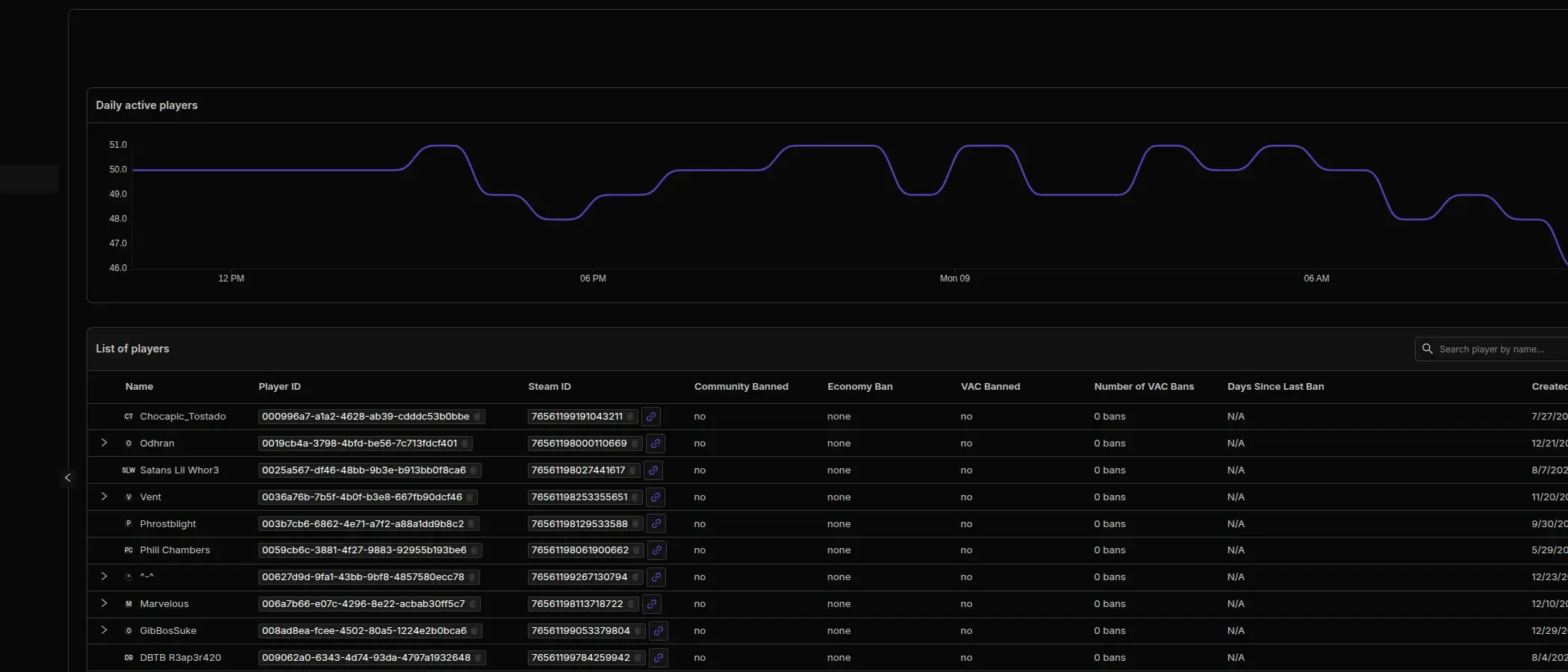
Follow the walk, not just the endpoint
Positions update live as players move and after a teleport, so movement paths show the route taken rather than two dots and a guess.
See the tracking docs →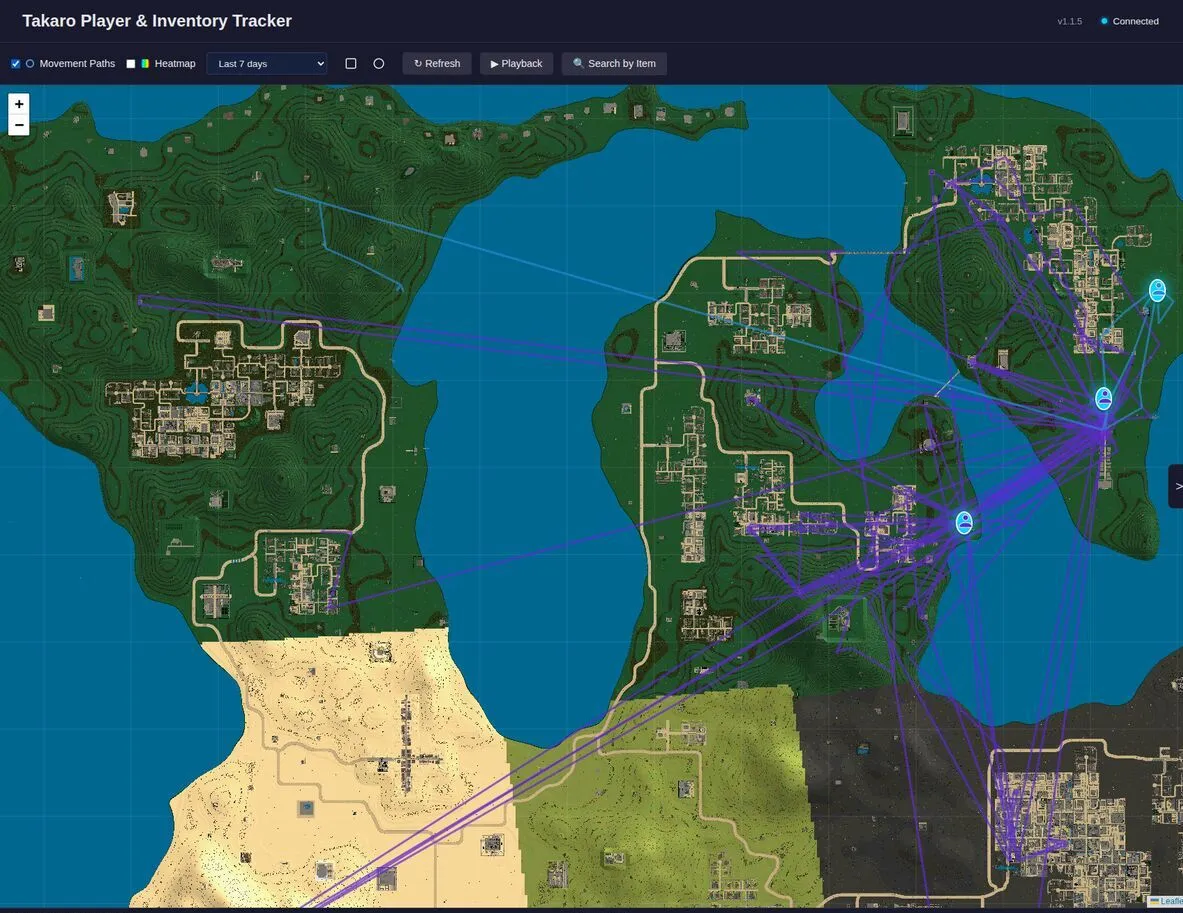
VEIN server management features
Every module works out of the box. Install, configure, done.
Bans that work offline
A ban lands whether or not the player is connected, and the connector lifts timed bans itself when they expire. The list shows the game's bans and the connector's together.
Bags you can read and fill
Inventories match the in-game bag, and an item handed out from the dashboard appears without a relog. A dead player's bag reads empty, as it should.
Broadcasts and on-screen whispers
A broadcast reaches everyone as a chat line prefixed with the server name; a whisper arrives as an on-screen notification for one player.
Join and leave events that survive a crash
Joins arrive with the SteamID64 attached, and leaves arrive on a clean quit and after a crash, so your player count does not drift upward over a week.
Its own command set
The connector supplies commands the game does not (players, say, give, tp, ban and save) and runs them from the dashboard.
Full REST API
Build your own tools on top of Takaro. Custom dashboards, Discord bots, integrations. Full API access on every plan, including free.
Cross-server management
Run VEIN alongside every other game Takaro supports from one dashboard, with player profiles shared across them.
Download the VEIN connector
Native connector for a VEIN Linux dedicated server.
Before you start
- Takaro registration token
- Control of the VEIN Linux dedicated server startup command
Latest release
Next steps
- Install the files your server needs, following the install guide, and restart it once.
- Create the server in the Takaro dashboard and copy its registration token.
- Give the connector the token, restart the server, and it registers itself.
Previous versions (10)
Connect your VEIN server
Two server-side pieces and a change to the launch line.
Add your VEIN server
Unpack the plugin and the sidecar on the server host, add the plugin to the VEIN launch line, and start the sidecar with your registration token.
Install modules
Browse the module library and toggle on what you need: economy, teleports, moderation.
Manage from anywhere
The dashboard works in any browser. Check activity, adjust settings and moderate from your phone.
Free to start. Upgrade when you grow.
The free tier includes one server with all modules, full API access, and Discord integration. Paid plans start at €7.99/month.
VEIN server management FAQ
Does this work on a Windows VEIN server?
No. The connector targets the VEIN Linux dedicated server, Steam app 2131400, and is built and tested against it.
Why do item names show as codes?
Readable item names are behind an opt-in flag. Set TAKARO_ITEM_NAMES=1 on the sidecar and the catalogue resolves to names instead of class ids.
Does anything need compiling?
No. Both halves ship as archives you unpack, and the sidecar runs under Docker Compose or Node.js 22.
Do players install anything?
No. Both pieces are server-side; players connect with the stock VEIN client.
Can I manage multiple VEIN servers from one dashboard?
Yes. Add as many servers as your plan allows. The free tier includes one server; paid plans cover two to eight, all from a single dashboard.
Is Takaro a replacement for my server host?
No. Takaro is a management layer on top of the server you already run. You keep your hosting provider; Takaro connects to the server and adds economy, teleports, moderation and analytics.
Can I write custom modules?
Yes. Takaro modules are commands, hooks and cron jobs you can write yourself, and the REST API is open for anything a module cannot reach.
How much does it cost?
The free tier covers one server with every module included. Paid plans start at €7.99/month for two servers. See all plans.
Is VEIN support official?
Yes. Takaro builds, tests and releases this connector itself, with versioned releases and a documented install. Bugs go to the connectors repository.
Ready to manage your VEIN server?
Install the connector, connect, and start adding features in minutes.